
 Français
  Deutsch
  Русский
  Español
  Português
  日本語
日本語  한국어
한국어 


Low-Power Play: sensor-triggered video on D-cell packs and 5V lithium power banks, from 4.3″ to 37″ and from 720P to 1080P
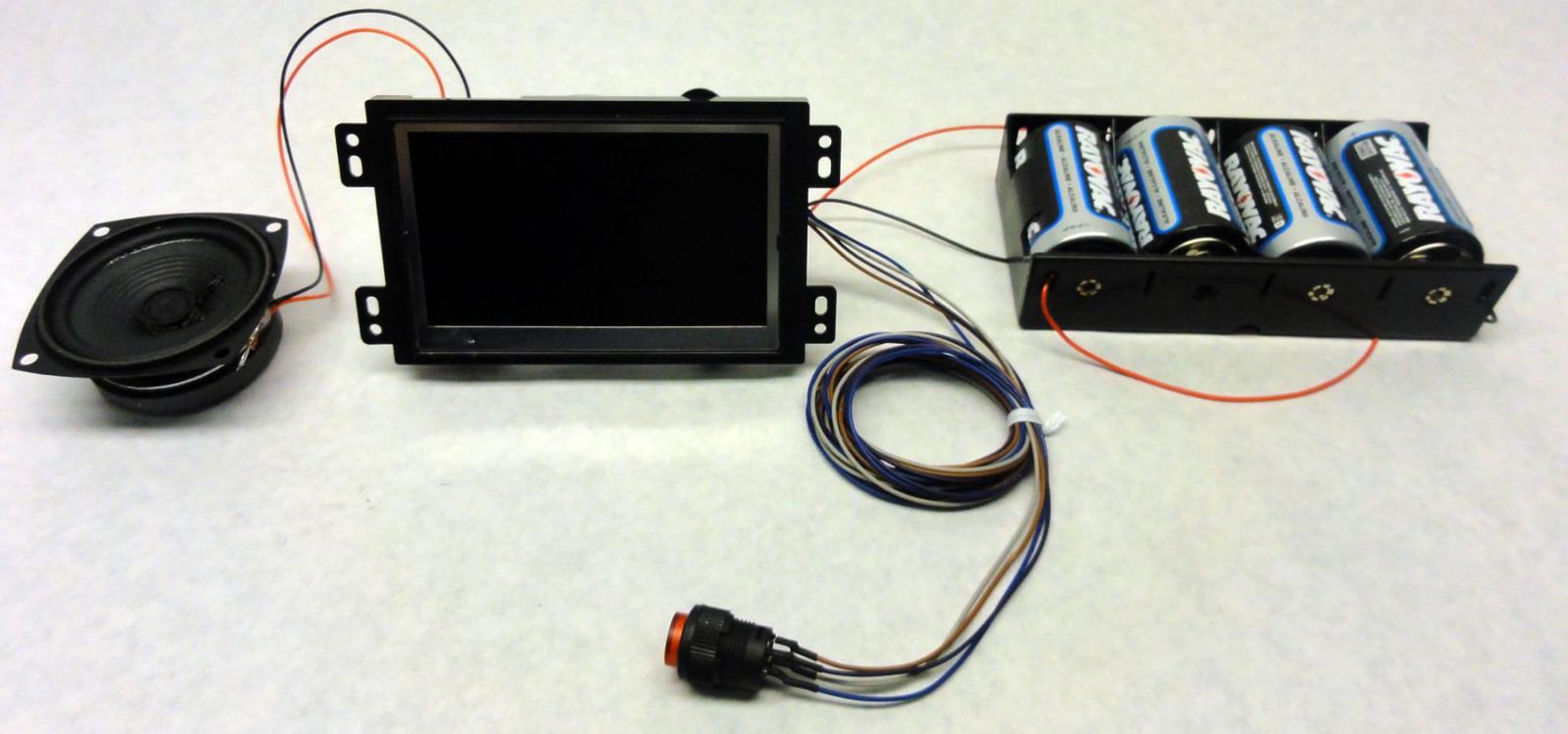
A battery-driven display kit: screen, speaker, trigger button and D-cell battery pack
Using battery power for small LCD displays is a smart idea. It makes installation quick and hassle-free and opens up new areas of the store for powerful digital promotions. However, putting batteries behind screens designed only for AC mains power gives disappointing results: short battery life and sluggish performance.
To get startlingly effective performance from battery-powered promotions, AOK Displays developed the “Low-Power Play” solution. It combines modern power-management technology with interactive triggers so that displays deliver effective content where and when it is needed. Since the first edition of this guide, the range has grown: a second series with 1080P video decoding, a much wider choice of panel sizes, and support for 5V lithium power banks alongside the classic D-cell pack.
This guide explains how Low-Power Play works, which displays and batteries to choose, and how to calculate battery life for your own campaign.
1. How Low-Power Play conserves power
Most battery-driven promotions aim to balance effectiveness with battery life. Content can run continuously on batteries, but that is not the norm because the batteries would need frequent replacement. Most successful battery-driven deployments use a sensor or another form of interactivity, so the display sleeps until someone is there to watch it.
1.1 Video triggering
Playing content when no customer is present wastes battery power. Low-Power Play uses interactive triggers, such as a motion sensor, push buttons, or a touchscreen, to control when it delivers content. The most common arrangement is an ultra-low-power standby-sleep state while nobody is near, with a motion sensor waking the display and starting playback. Buttons and touchscreens can then regulate further content.
1.2 Two motion sensors: passive infrared and microwave
Two motion-sensor types are available. They behave very differently, and the choice affects both the shopper experience and the battery budget.
| The key difference
A PIR sensor will not trigger the video if a person is standing still in the detection range: it needs real movement. A microwave sensor still responds and triggers the video even if the human body is still in the detection range. |
| Passive infrared (PIR) | Microwave | |
|---|---|---|
| How it detects | Senses the change in infrared heat as a warm body moves across its field of view | Emits low-power microwaves and detects the reflection from a person in range |
| Person standing still in range | Does NOT trigger the video: movement is required | STILL triggers the video, even if the body is still |
| Line of sight | Needs a clear view; typical range about 3 m | Can sense through thin non-metal materials such as plastic, acrylic and glass |
| Standby power | Very low; fits the 0.5 mA standby budget of the display | Higher; use the real module current in battery-life calculations |
| Best for | Aisles and shelf edges where shoppers walk past; longest battery life | Counters, kiosks and displays where shoppers stop and look |
| Watch out for | Strong heat sources and direct sunlight | Movement behind thin walls or glass, and moving objects such as fans |
Choose PIR when battery life is the priority and microwave when shoppers are likely to stand still near the display.
1.3 Super-short power-up interval
The time taken to change from low-power sleep to playback is critical for battery-powered solutions, because a customer approaching or touching the display is the moment to catch. Low-Power Play displays wake and start playing in under 2 seconds every time. Many displays on the market take several seconds to power on, so customers see a power-up screen and move on to a more compelling promotion.
1.4 Smart playback control
In high-footfall areas, a sensor can trigger the same video content repeatedly with little benefit, and since battery life is measured in playbacks, unwanted playbacks deplete the battery early. Low-Power Play has a customizable playback profile that limits how many times content can be triggered within a time window. For example, a delay interval can be set in the firmware so that after each activation the display stays in standby (sleeping) for a preset period, and activation is also disabled while people are leaving the detection area. Customers still get the message, and the display controls content playback and battery usage.
1.5 Power mixing
Many deployments mix AC mains and battery power. Low-Power Play detects the power source automatically. Installers and store staff never change settings or switch modes manually: the display plays continuously on AC mains and in triggered mode on battery. An optional extra circuit adds a UPS function, using the battery as backup when mains power fails.
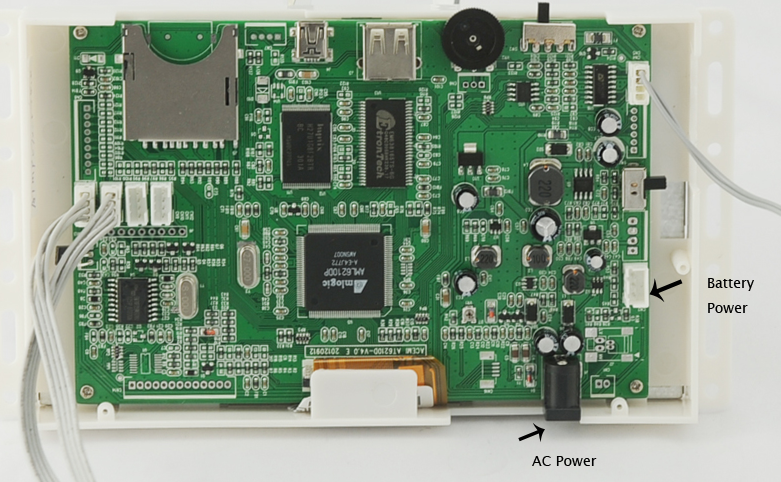
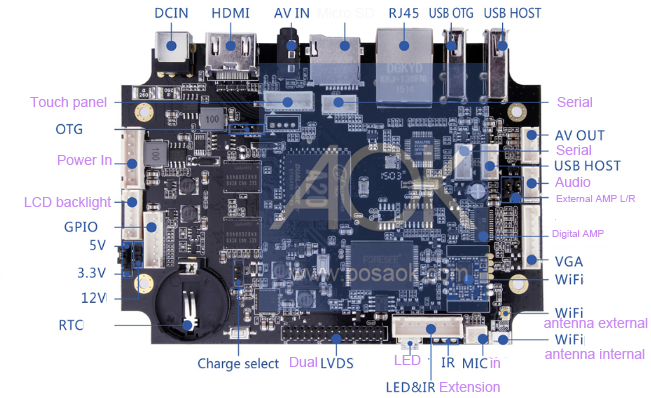
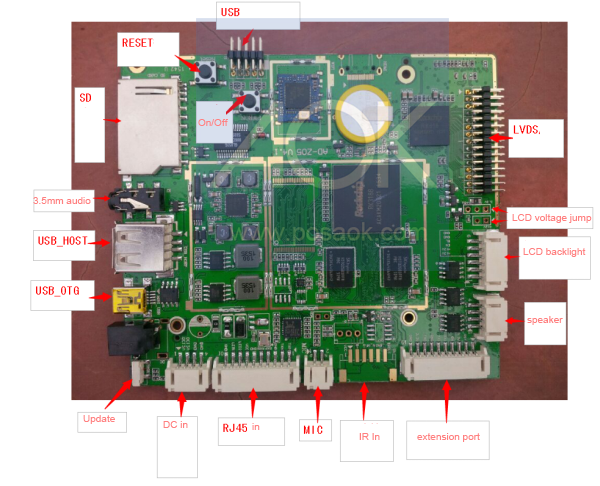
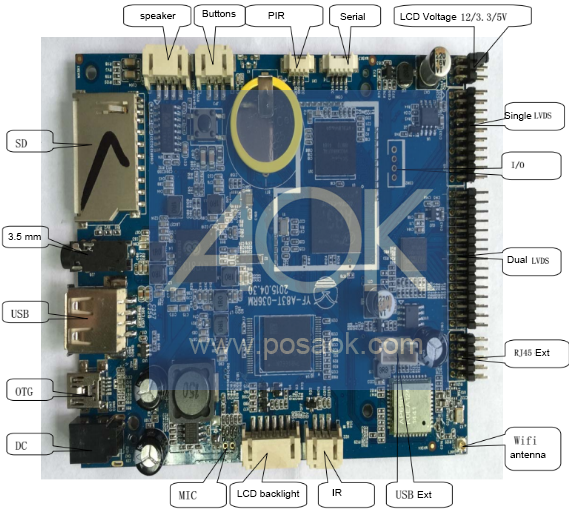
Main board with separate battery and AC power inputs
2. Which displays can be battery powered?
Using battery power for shelf-edge displays neatly overcomes the problem of distributing mains power to the shelf edge and avoids complex, costly installations and trailing cables. AOK Displays has thousands of battery-powered displays deployed in many environments. Two series are available, and both support motion sensors (PIR or microwave), push buttons or touchscreens.
| 720P series | 1080P series | |
|---|---|---|
| Video decoder | 720P | 1080P |
| Maximum screen resolution | Up to 1366 x 768 pixels | Up to 1920 x 1080 pixels |
| Typical sizes | 4.3″, 5″, 6.2″, 7″, 10.1″, 15.6″, 18.5″ | All standard 16:9 retail screens up to 31.5″ (including 10.1″, 11.6″, 13.3″, 15.6″, 21.5″, 23.8″, 27″ and 31.5″), plus stretched screens such as 8.1″, 16.4″, 23.1″, 24.4″ and 37″ |
| Heritage | The proven first-generation Low-Power Play platform | Released in 2024, re-engineered from the AOK Displays retail POP seamless-loop solution, with extraordinary battery efficiency at 1080P |
| Wake-up time | Under 2 seconds | Under 2 seconds |
| Standby current | 0.5 mA | 0.5 mA |
The 4.3″ mini displays and the 7″ and 10.1″ shelf-edge ranges remain the most common battery applications, but any size can be supported provided its resolution is within the limit of the video decoder.
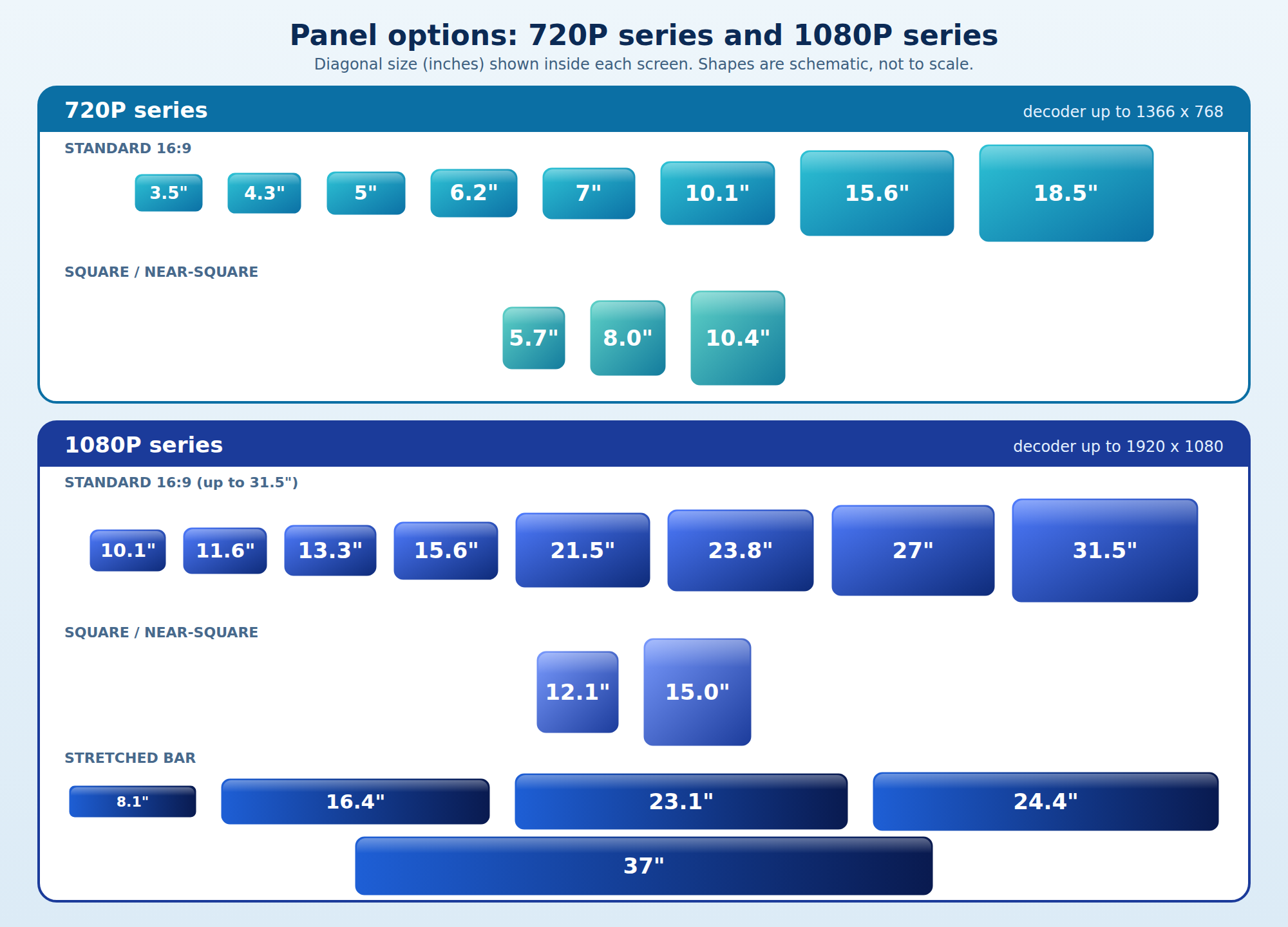
Panel options by series: standard, square and stretched screens (schematic, sizes in inches)
Is functionality the same as on mains power?
Functionality is not affected by the power source, but some adjustments conserve power on batteries. In most cases, a motion sensor does the job, and video length should be kept short. Continuous video playback is generally not recommended unless frequent battery changes are feasible.
3. Choosing the power source
| Option | Output | Capacity (typical) | Strengths | Limits |
|---|---|---|---|---|
| 8 x D alkaline pack | 12 V, cut-off 8 V | 12,000 mAh | Low self-discharge, easy to swap, best size-to-performance ratio | Bulky, disposable |
| Parallel D packs (16D, 24D, 32D) | 12 V | Multiples of 12,000 mAh | Extends life without changing the display | Larger, heavier pack |
| 5V lithium power bank | 5 V USB | For example 20,000 mAh rated, about 12,000 mAh usable at 5 V | Rechargeable, compact, widely available | Self-discharge, conversion loss; must be an always-on type |
| Custom rechargeable packs | Per project | Per project | Suit fixed installations | Different cost and logistics; designed per project |
3.1 D-type alkaline packs
D-type alkaline cells are our standard because they give the best performance for their size. Cell capacity varies between brands, so we plan on 12,000 mAh per cell at 1.5 V. Eight cells connected in series make a 12 V pack with the capacity of one cell, 12,000 mAh, and the display stops working when the pack falls to 8 V. Connect packs in parallel to multiply capacity: three 8D packs make 36,000 mAh at 12 V, and four make 48,000 mAh.
Mini displays (4.3″) use cells in multiples of 4; shelf-edge and larger displays use multiples of 8. The number required depends on how long the pack must last, any size or weight limit, and budget.
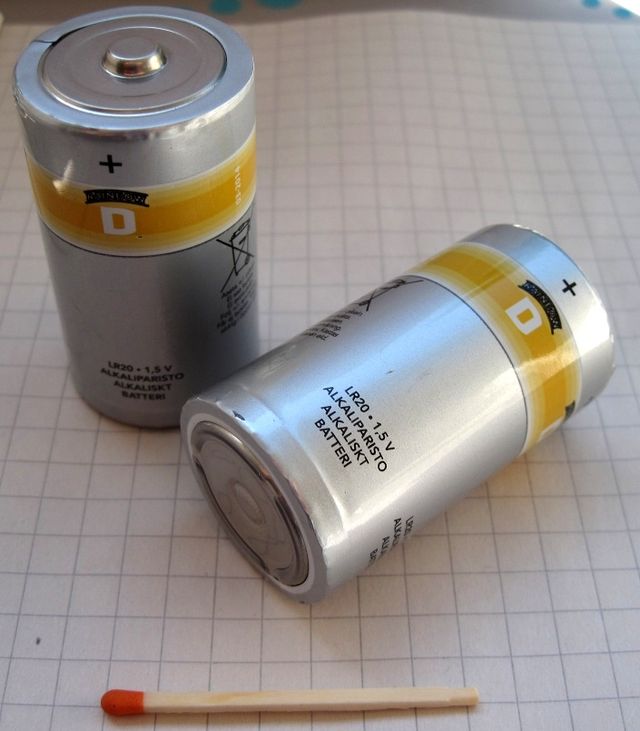
D-type alkaline cells
3.2 5V lithium power banks
A standard 5V lithium power bank is a convenient, rechargeable alternative, and 10.1″ displays and below are designed to run from one. Four points decide whether it works well in the field:
- Rated capacity is not 5V capacity. Power banks quote capacity at the cell voltage of about 3.7 V. A 20,000 mAh bank holds about 74 Wh, which is roughly 12,000 to 12,600 mAh at 5 V once conversion losses are included. Always size from the 5V figure.
- Choose an always-on bank. Many power banks switch themselves off when the load falls below roughly 50 to 100 mA. A display in standby draws only 0.5 mA, so an ordinary bank shuts down and the display never wakes. Use an always-on (low-current) mode bank.
- Self-discharge. Lithium banks lose about 3 to 5% of their charge per month even when idle, and low-cost banks can lose more. This becomes a fixed daily drain, and it matters most in long campaigns with few plays.
- Conversion loss. Holding the 5V output on costs energy in the boost converter, most of all, at very light standby loads. Our planning figures in section 5.3 include this.
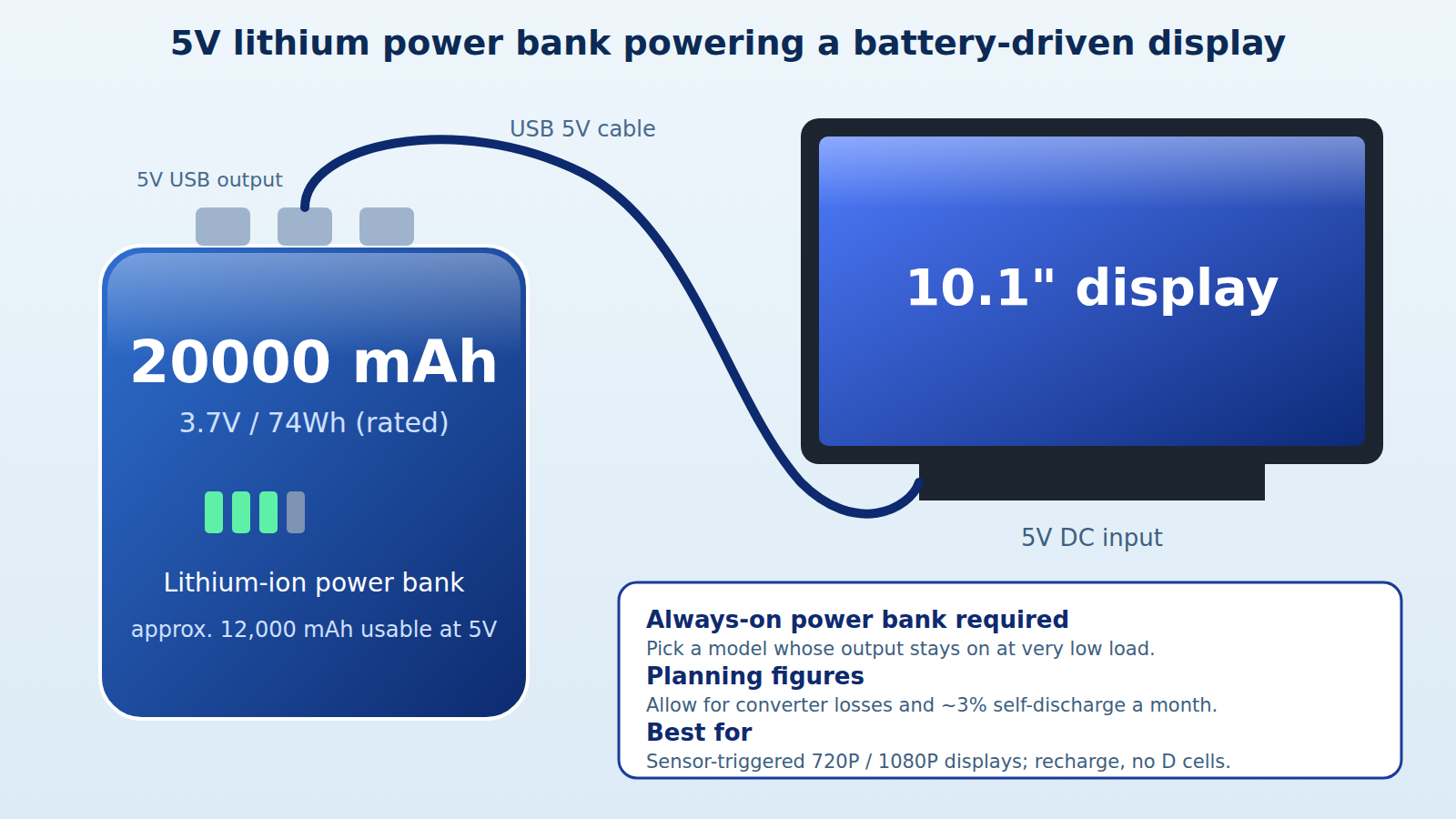
A 5V lithium power bank feeding a battery-driven display
As with D cells, we recommend keeping a 20% safety margin on capacity.
4. Battery housing
Batteries sit in a separate pack with a wired connection to the display. The pack has to be accommodated on the shelf or in the POS structure with the display, and the cells can be arranged to provide some flexibility in pack shape. Lithium power banks connect through a 5V cable and can be tucked behind or beside the display.
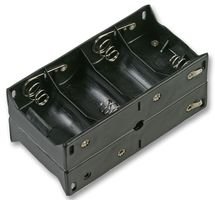
Battery holder for D cells
5. Power consumption and battery life
5.1 The calculation method
A display uses power in two states: working (playing video) and standby (sleeping). Daily consumption is the sum of the two, and each play includes 2 seconds of wake-up time.
- Active time per day = plays per day x (video length + 2 s)
- Working draw per day (mAh) = working current x active time / 3600
- Standby draw per day (mAh) = 0.5 mA x (86,400 s – active time) / 3600
- Battery life (days) = usable capacity / total daily draw, where usable capacity = rated capacity x 80%
Worked example: a 16.4″ stretched display (600 mA working current) on an 8D pack, 20 plays a day of a 20-second video. Active time is 20 x 22 s = 440 s. Working draw is 600 x 440 / 3600 = 73.3 mAh. Standby draw is 0.5 x 85,960 / 3600 = 11.9 mAh. Total 85.2 mAh a day. Usable capacity is 12,000 x 80% = 9,600 mAh, so the pack lasts 112 days.
5.2 Battery life on D-cell packs
The tables show life for a 20-second video, with the 20% safety margin applied. Packs of 8, 16, 24 and 32 cells are 1 to 4 parallel 8D packs.
Battery life in days, 20 plays per day
| Display | Working current | 8D | 16D | 24D | 32D |
|---|---|---|---|---|---|
| 4.3″ mini (720P) | 200 mA | 263 | 527 | 791 | 1,055 |
| 7″ shelf-edge (720P) | 250 mA | 225 | 451 | 677 | 903 |
| 10.1″ shelf-edge (720P) | 560 mA | 119 | 238 | 358 | 477 |
| 16.4″ stretched (1080P) | 600 mA | 112 | 225 | 337 | 450 |
| 21.5″ (1080P) | 800 mA | 87 | 174 | 262 | 349 |
| 37.2″ stretched (1080P) | 1000 mA | 71 | 143 | 214 | 286 |
Battery life in days, 100 plays per day
| Display | Working current | 8D | 16D | 24D | 32D |
|---|---|---|---|---|---|
| 4.3″ mini (720P) | 200 mA | 71 | 143 | 215 | 286 |
| 7″ shelf-edge (720P) | 250 mA | 58 | 116 | 175 | 233 |
| 10.1″ shelf-edge (720P) | 560 mA | 27 | 54 | 81 | 108 |
| 16.4″ stretched (1080P) | 600 mA | 25 | 50 | 76 | 101 |
| 21.5″ (1080P) | 800 mA | 19 | 38 | 57 | 76 |
| 37.2″ stretched (1080P) | 1000 mA | 15 | 30 | 46 | 61 |
Number of plays of a 20-second video (including 2 s wake-up), standby is not included
| Display | 8D | 16D | 24D | 32D |
|---|---|---|---|---|
| 4.3″ mini (720P) | 7,855 | 15,709 | 23,564 | 31,418 |
| 7″ shelf-edge (720P) | 6,284 | 12,567 | 18,851 | 25,135 |
| 10.1″ shelf-edge (720P) | 2,805 | 5,610 | 8,416 | 11,221 |
| 16.4″ stretched (1080P) | 2,618 | 5,236 | 7,855 | 10,473 |
| 21.5″ (1080P) | 1,964 | 3,927 | 5,891 | 7,855 |
| 37.2″ stretched (1080P) | 1,571 | 3,142 | 4,713 | 6,284 |
Planning values at 12 V, 0.5 mA standby and a 20% capacity margin. Working current varies with brightness, volume, and content; confirm the figure on the specification sheet of the model you order. A microwave sensor adds to the standby current, so use the module’s actual current.
5.3 Battery life on a 5V lithium power bank
The next table is for a 10.1″ display on a 20,000 mAh (rated) power bank. It uses the working currents of the current 5V models, 300 mA for 720P and 600 mA for 1080P, a 20-second video with 2 s wake-up, and includes conversion loss, self-discharge of 3% per month and the 20% safety margin.
| Activations | 720P: daily draw | 720P: life | 1080P: daily draw | 1080P: life |
|---|---|---|---|---|
| 20 plays per day | 135 mAh | 118 days | 193 mAh | 82 days |
| 50 plays per day | 222 mAh | 72 days | 367 mAh | 43 days |
| 100 plays per day | 367 mAh | 43 days | 659 mAh | 24 days |
| 200 plays per day | 658 mAh | 24 days | 1,241 mAh | 12 days |
Daily draw is measured at the 3.7 V cell side. Assumptions: 85% boost efficiency while working, 50% at standby load, 1 mA converter quiescent current, 3% self-discharge per month. At 5% per month the results fall by one to five days. Real results depend on the power bank model.
Two lessons stand out. First, with a power bank the fixed daily losses (self-discharge, converter current and standby conversion loss) add about 76 mAh a day, so battery life is well below the ideal calculation, especially at low play counts. Second, at 50 or more plays a day the screen itself dominates, and a 20,000 mAh bank no longer covers a long campaign.
Power-bank size for a 90-day campaign
| Plays per day | 10.1″ 720P (300 mA) | 10.1″ 1080P (600 mA) |
|---|---|---|
| 20 | 15,000 mAh rated | 22,000 mAh rated |
| 50 | 25,000 mAh rated | 41,000 mAh rated |
| 100 | 41,000 mAh rated | 74,000 mAh rated |
| 200 | 74,000 mAh rated | 140,000 mAh rated |
Rated capacity (at 3.7 V) needed for 90 days, including the 20% safety margin, conversion loss and 3% monthly self-discharge. For very high play counts, mains power or swappable packs are usually the better answer.
6. What battery do I need for this campaign?
6.1 Fixed campaign length
Display: 7″ with motion sensor, 250 mA working current. Campaign: 6 weeks (42 days). Video: 20 seconds. Activations: 100 a day.
- Active time per day 100 x 22 s = 2,200 s
- Working draw per day 250 x 2,200 / 3600 = 152.8 mAh
- Standby draw per day 0.5 x 84,200 / 3600 = 11.7 mAh
- Total per day 164.5 mAh, so 6,908 mAh over 42 days
An 8D pack gives 9,600 mAh usable, which is more than enough: it lasts 58 days (8 weeks), so the 6-week campaign needs one 8D pack.
6.2 How long will a given pack last?
Display: 21.5″ (1080P) with motion sensor, 800 mA working current. Pack: 16D (two 8D packs in parallel, 19,200 mAh usable). Video: 20 seconds. Activations: 50 a day.
- Active time per day 50 x 22 s = 1,100 s
- Working draw per day 800 x 1,100 / 3600 = 244.4 mAh
- Standby draw per day 0.5 x 85,300 / 3600 = 11.8 mAh
- Total per day 256.3 mAh
Life = 19,200 / 256.3 = 74 days (10 weeks).
6.3 Practical tips
- Keep videos short and use the playback-profile delay in busy areas, so one crowd does not use up hundreds of plays.
- Pick PIR for the longest life, and microwave only where shoppers stand still; add its standby current to the calculation.
- With power banks, use an always-on model, apply the 20% margin and expect 3 to 5% monthly self-discharge.
- For campaigns above roughly 50 plays a day on a large screen, consider parallel D packs, swappable power banks or mains power with the battery as UPS backup.
.jpg)
.jpg)
.jpg)




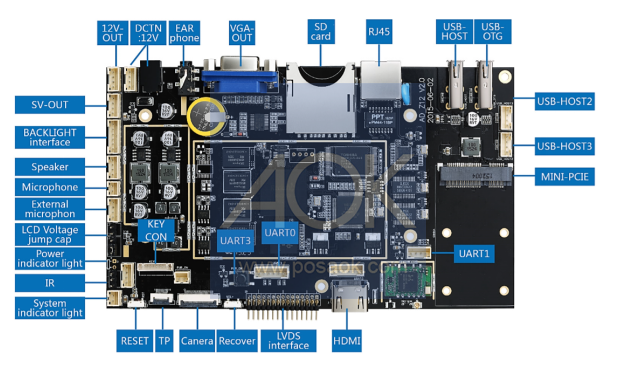
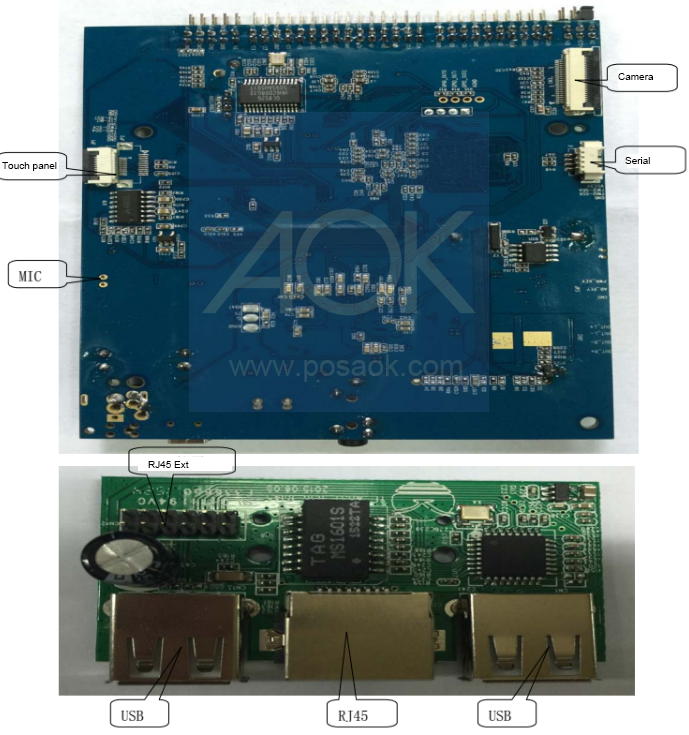
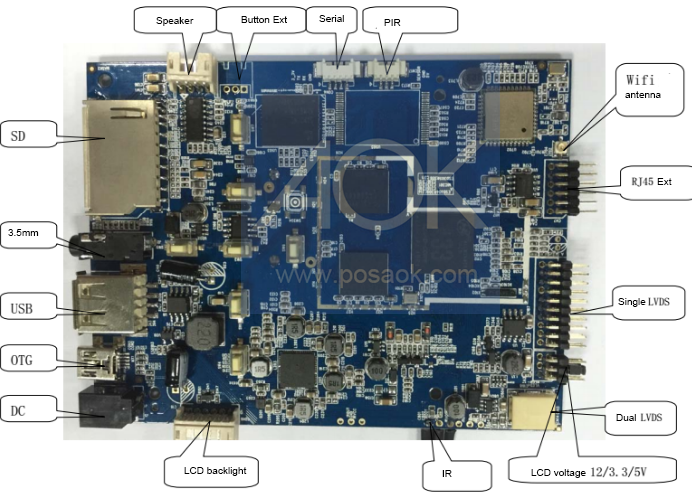
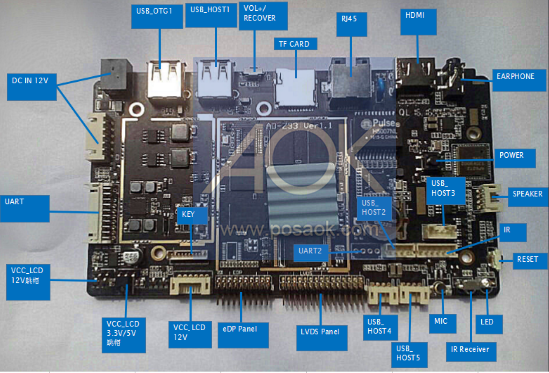 Rockchip RK3288 mother board diagram