AOK Displays For Retail & Hospitality

AOK Displays Retail & Hospitality Digital Signage Players help customers increase marketing effectiveness, return on investments and take their marketing messages forward.
AOK Displays For Retail & Hospitality Digital Signage

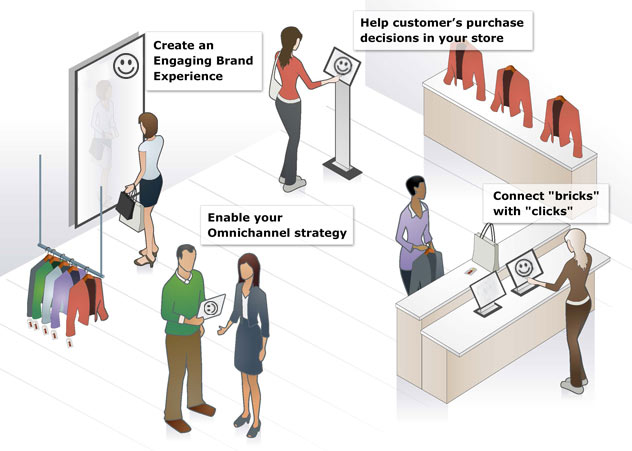
The benefits of deploying digital signage for retail & hospitality are remarkable according to World Retail Congress.
> Create Engaging Brand Experience;
> Help Customers Make Purchase Decisions In The Store;
> Enable Your Omnichannel Strategy;
> Connect “Bricks” With “Clicks” For Offline-To-Online O2O Strategy
AOK Displays Offers Not Only The Top-level Commercial Device For 7/24/365 With Heavy Duty, But Also Customer-Care Solutions With Content Creation Support Including Verified Solution Partners Referral As Well As Our Own Easy-To-Use Content Authoring Tools For SME buyers’ DIY Their Content.
4K Sound bar Retail Demonstration With Push Buttons

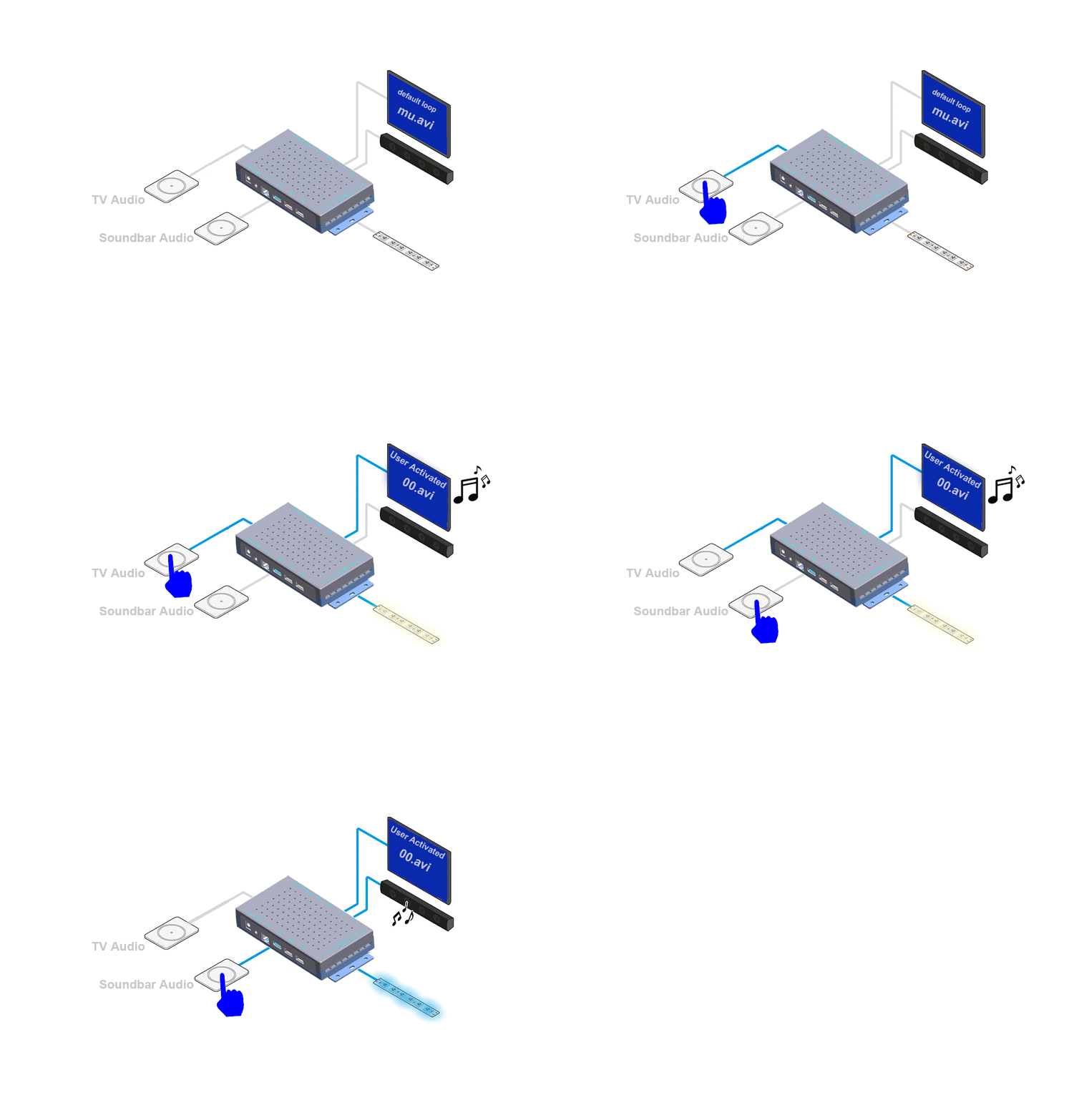
4K Sound bar Retail Demonstration With Push Buttons


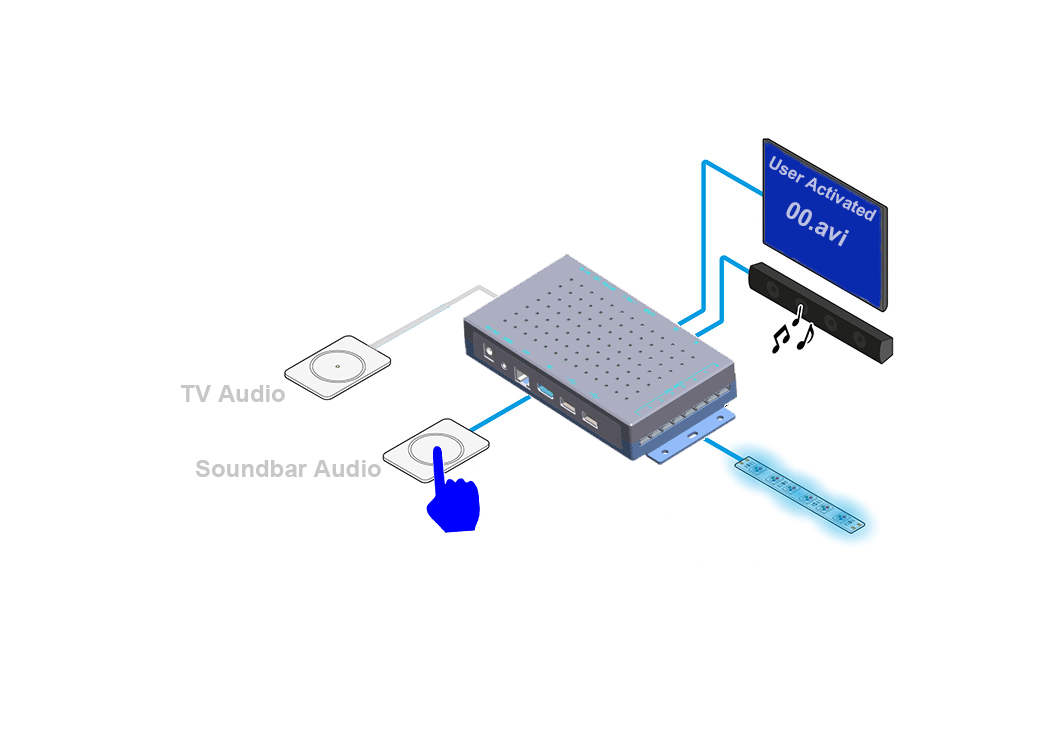
The System Uses Push Buttons And 4K LCD TV To Let Shoppers Compare The Sound Quality Of TV & Soundbar, The Sound Bar Demonstrator Auto Powers Up To A Default Loop Video And Switches  Into An Attraction Video Upon User Activation On Push Buttons, The Audio Will Be Toggled Between LCD TV & Sound Bar Without Interruption. LED Lighting Is Corresponded With Music Switch During Retail Demonstration.

Sound Bar Retail Demonstration Application

The Components List Of This Sound Bar Retail Demonstration Station:

>>Sound Bar Demonstrator 1080P Version or 4K Version;

>>LCD TV (HDMI-in Screen ) ;

>>12V RGB LED Strip ; 

>>Sound Bar;

>> Push Buttons ;

Retail User Element Variations:

Depending On The Specific User Scenario, User Interface May Be Modified Project To Project, The Quantity Of Demo Sound Bar May Be 1 to 8; We Can Customize The Software To Support All The User Interface Elements Including But Not Limited To:

>>Push Button;

>>Capacitive Touch Pad /Touch Buttons; 

>> Touchscreen Android Or Non-Android ;

>>Motion Sensor ( 1pc or 2 pcs together );

>>Barcode Reader;

>> RFID Reader ;

>>Personal Audio Device Line-in ;

>>Magnet / Hall Sensor;

Retail Audio POP Case Study: Headphone & Speaker Demonstration Bench for Panasonic

headphone-speaker-demonstration-system-configuration

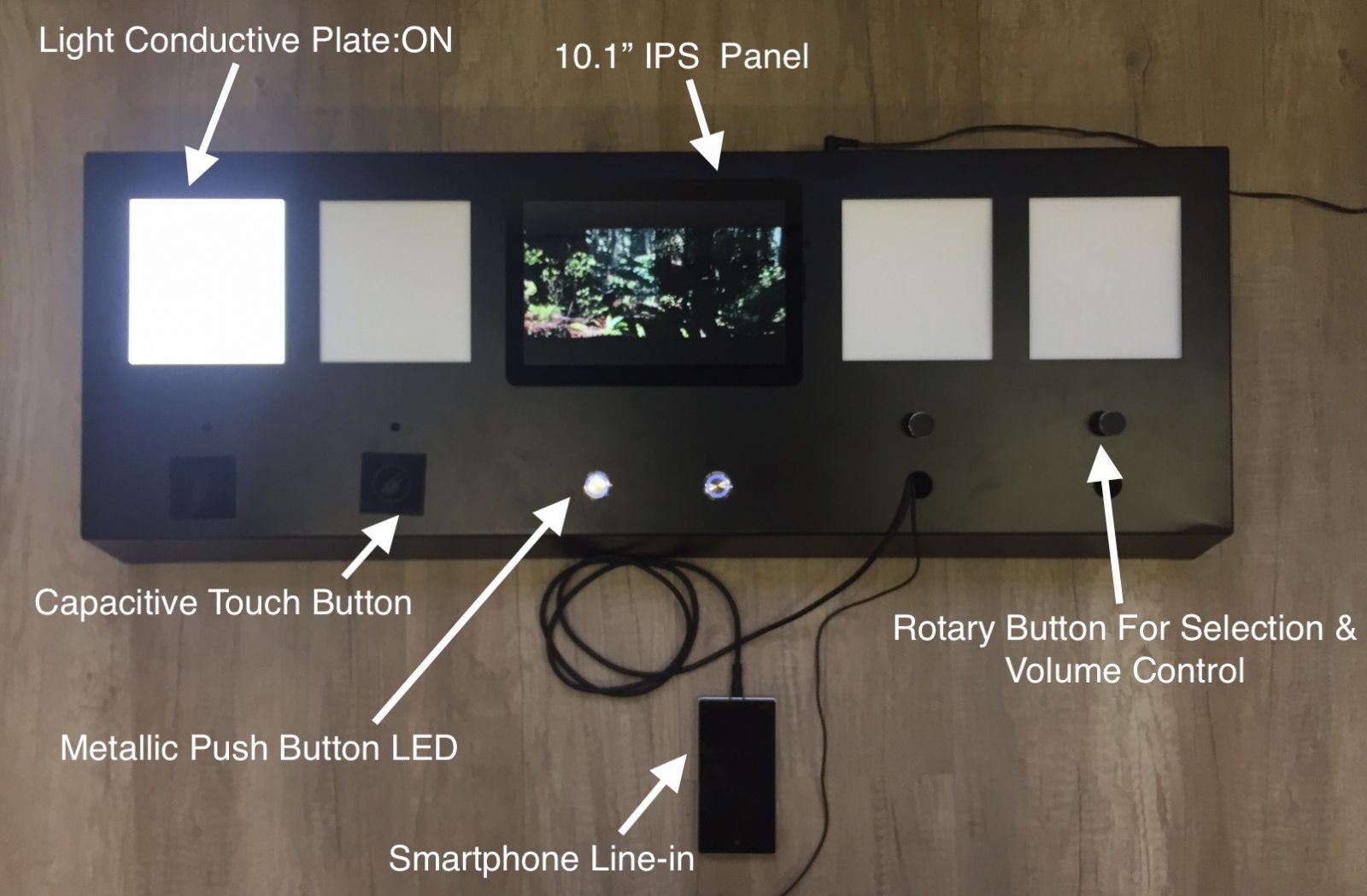
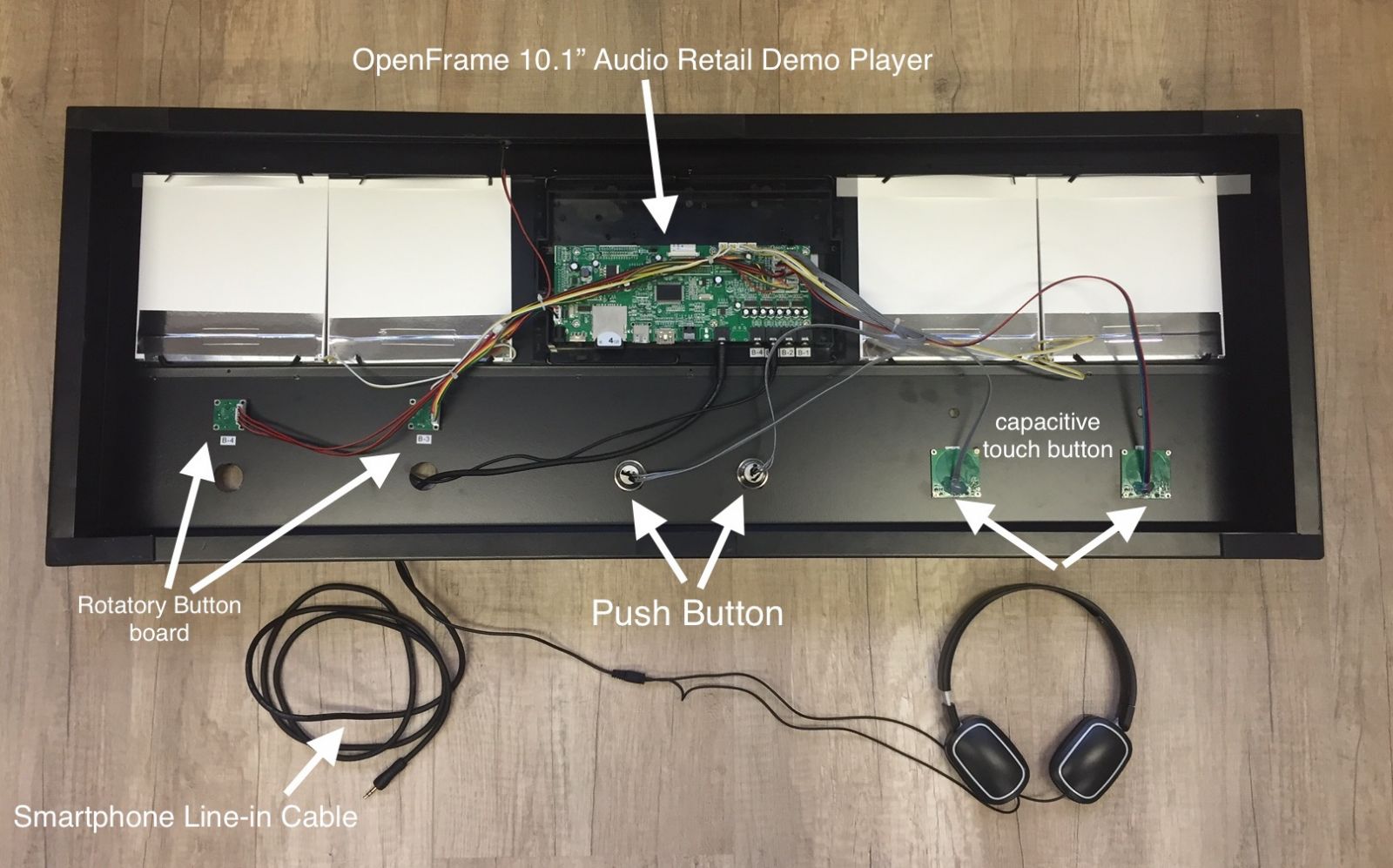
The retail fixture is made of CNC (Computer Numerical Control) machine from flat metal sheet adding spray painting to customize color. The user interfaces include LCD panel, light conductive plate, buttons and line-in cable. 3 button types are available, capacitive touch button( with easy user engagement ),  rotary button, LED illuminated push button.

light-conducted-plate-in-demonstration-bench

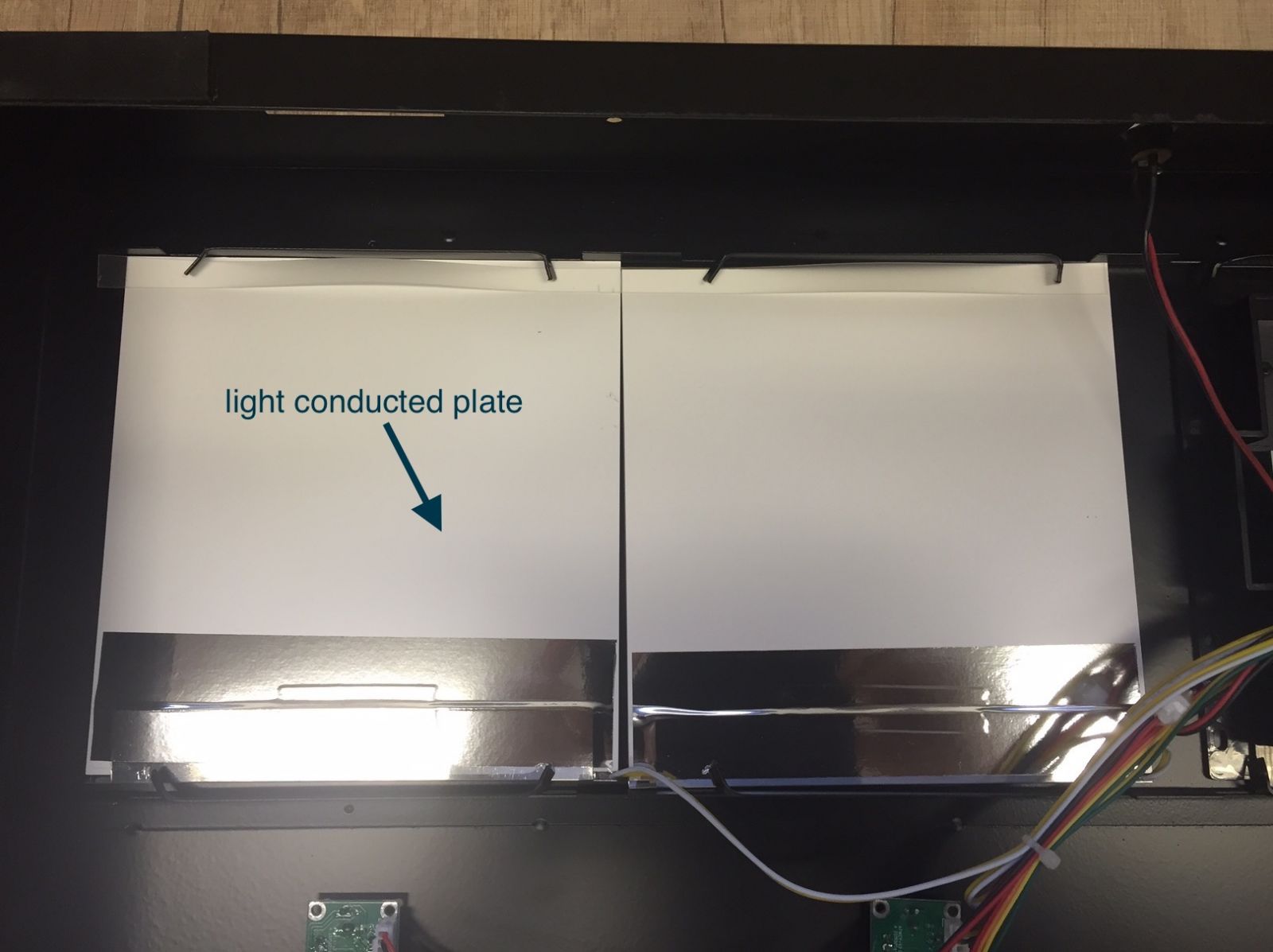
The light conductive plate is made by an acrylic plate with laser-made pitch matrix to spread the light from LED strips at side to the whole plate eventually. Power supply is from power port on mother board.

board-for-rotary-buttons-on-audio-demonstration-bench

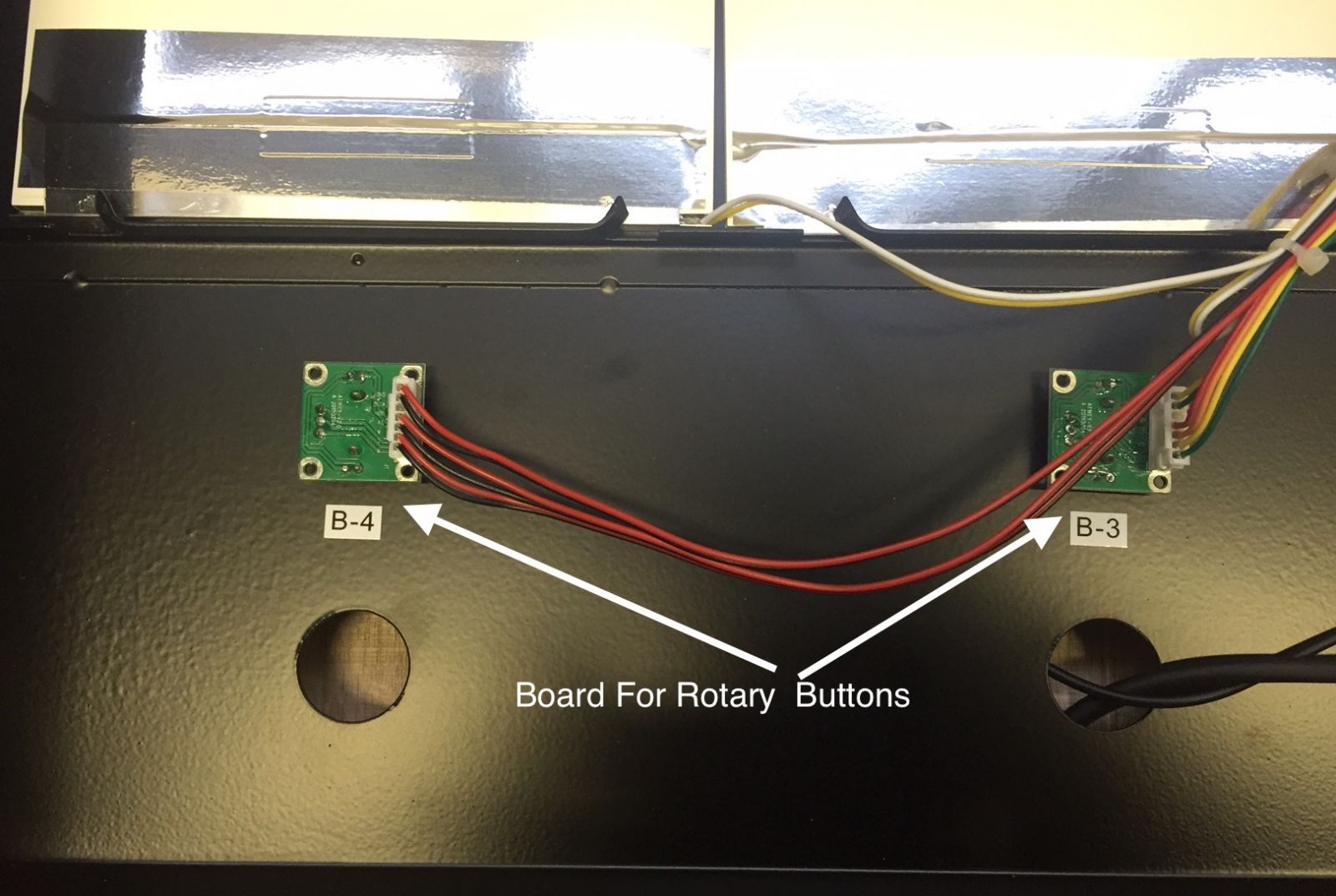
Rotary buttons are used to adjust volume in a more natural way, and it is optional to have rotary buttons with “push for selection” function for track or output channel switch.

personal-audio-device-line-in

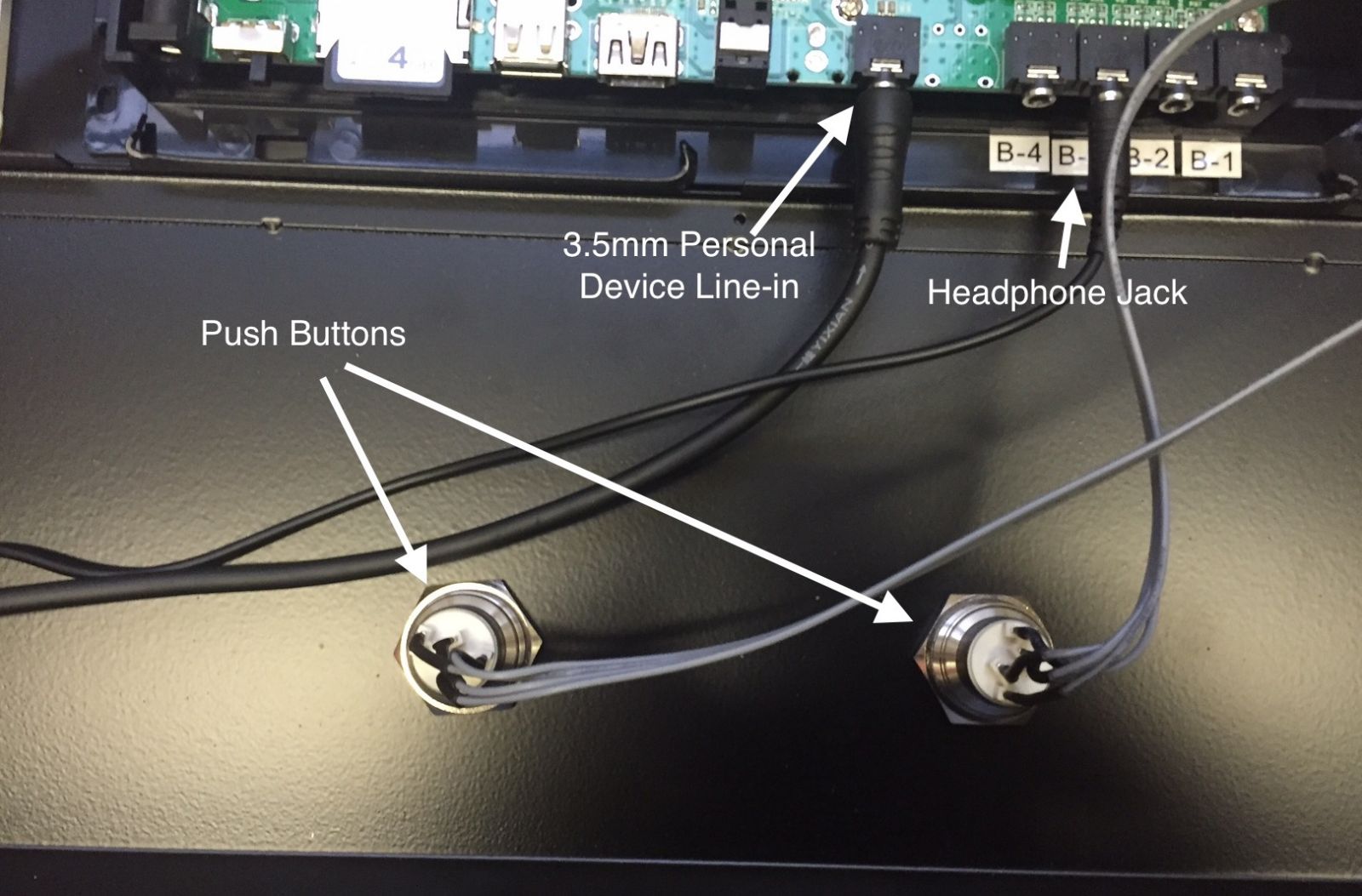
The headphone & speaker demonstration gets personal, it supports users’ personal audio device line-in to listen to their own favourite songs for easy comparison.

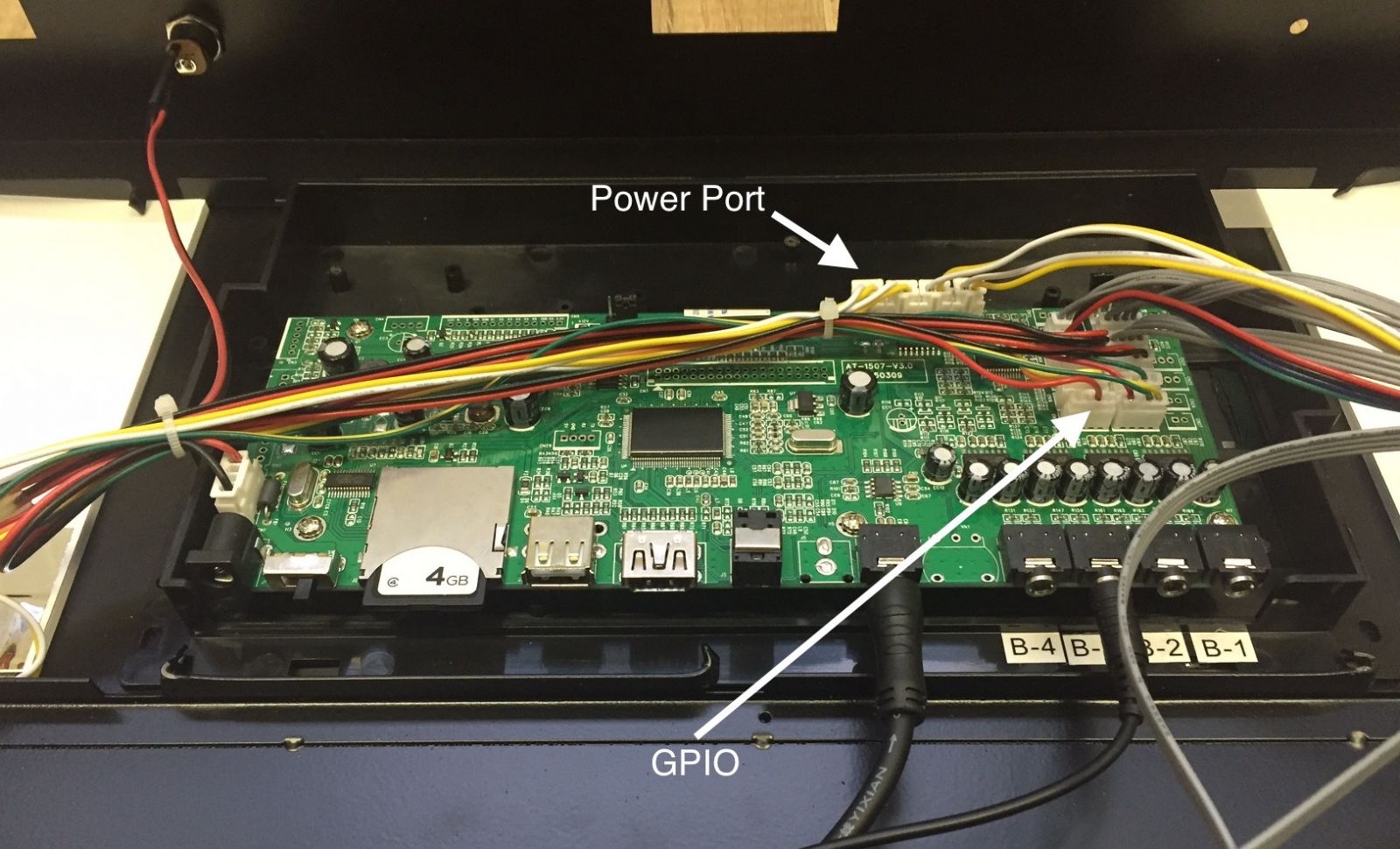
GPIO-port-power-port

GPIO port for button controls and power port for lighting power supply.

retail-audio-demo-open-frame

The inside view of implementation diagram

RFID Tag As User Interface Element In Retail Advertising

RFID Tag As User Interface Element In Retail Advertising


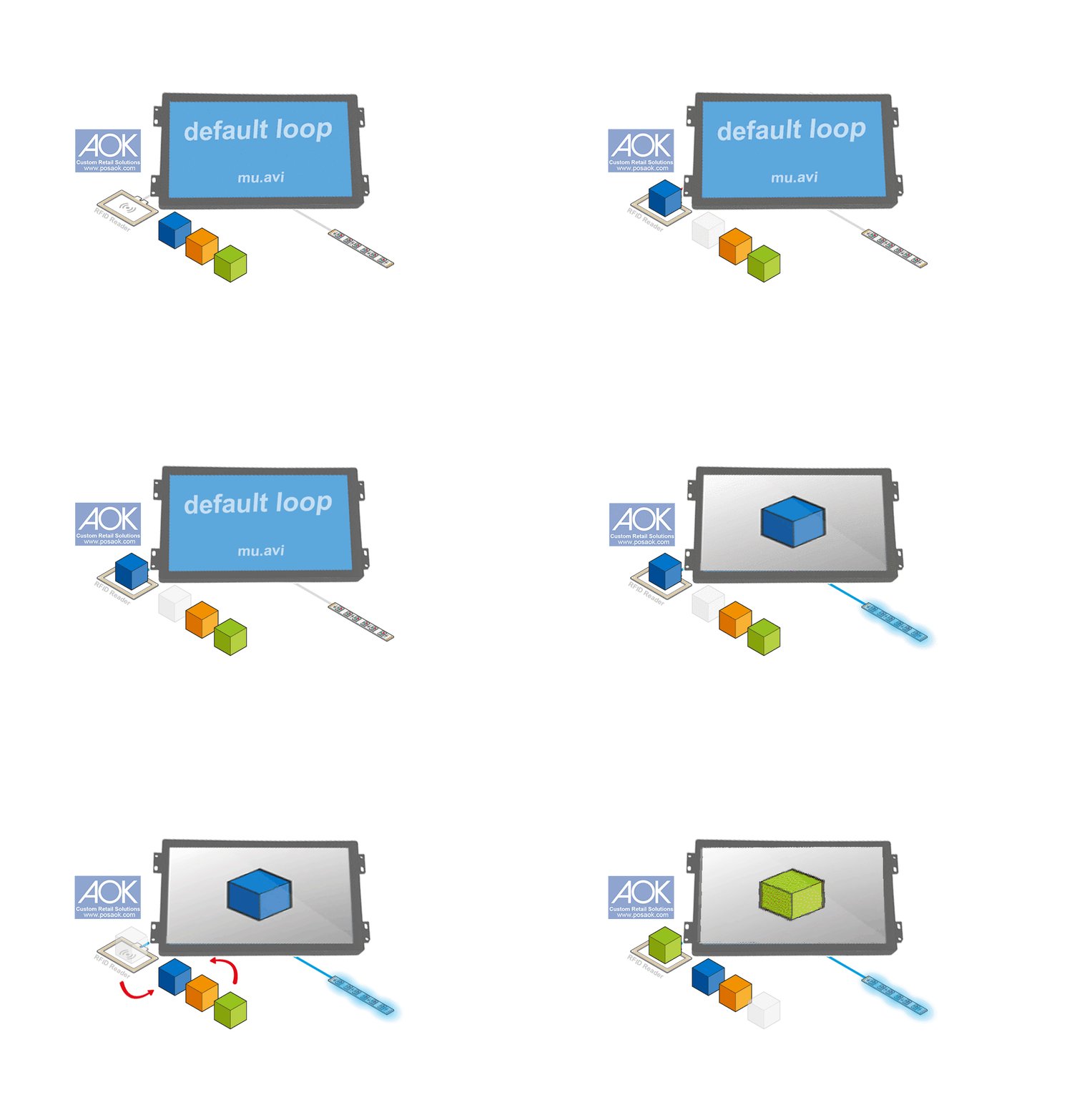
RFID Sounds A Bit Complicated, But We Make Them Simplified. Write RFID Tag Codes With Our RFID Writer & Reader Combo, As Easy As A Hand-flip. Then Make The Preloaded Video Names Matching The Tag Codes.

Learn How To Use Our RFID Writer & Reader Combo in 2 minutes (download RFID Writer Instruction Manual ).


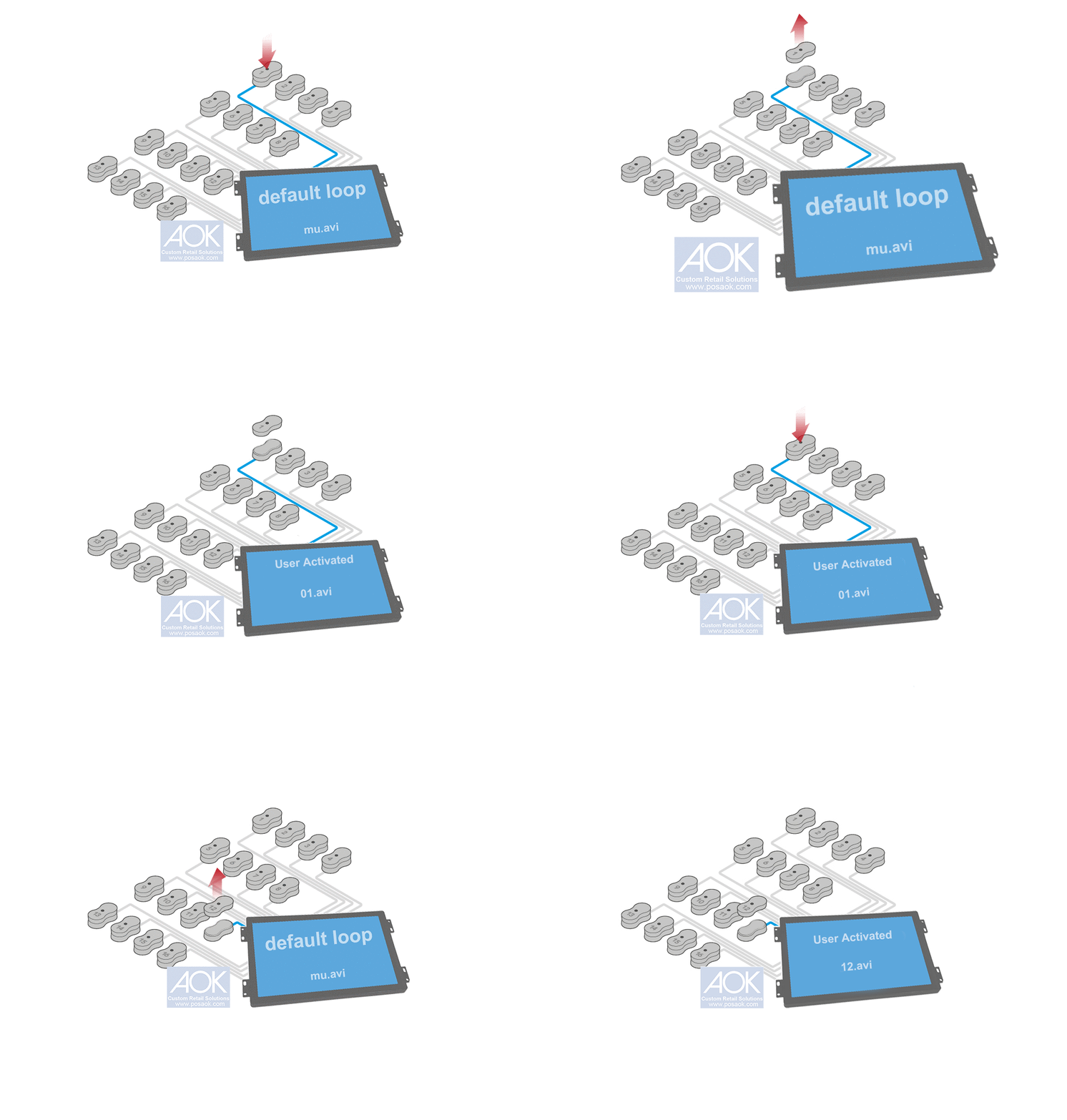
Generally, There Are Two Types Of User Activation For RFID Powered Retail Screens:


  • Pick-Up & Learn

The Shoppers Pick UP One Of The Items On Retail Demonstration RFID Reader Pad, Then The Retail Demonstrator Is Activated With Corresponded Video ( Optional LED Lighting Change ).

RFID Retail Screen Application


  • Put-Down & Learn

The Shoppers Put Some Retail Items With RFID Tags, Away From Retail Demonstration RFID Reader Pad,  Onto RFID Reader Pad, Then The Retail Demonstrator Is Activated With Corresponded Video ( Optional LED Lighting Change ).

RFID Retail Screen Put Item Down