

 Français
  Deutsch
  Русский
  Español
  Português
  日本語
日本語  한국어
한국어 


The project’s goal is to showcase the Marshall family speakers with multi-room sync capability. While Marshall wants to use its retail-demo version media player and provide us the I/O to work along with their hardware, our media player will corresponde to user activations either on Marshall speaker native buttons or push buttons in the retail display.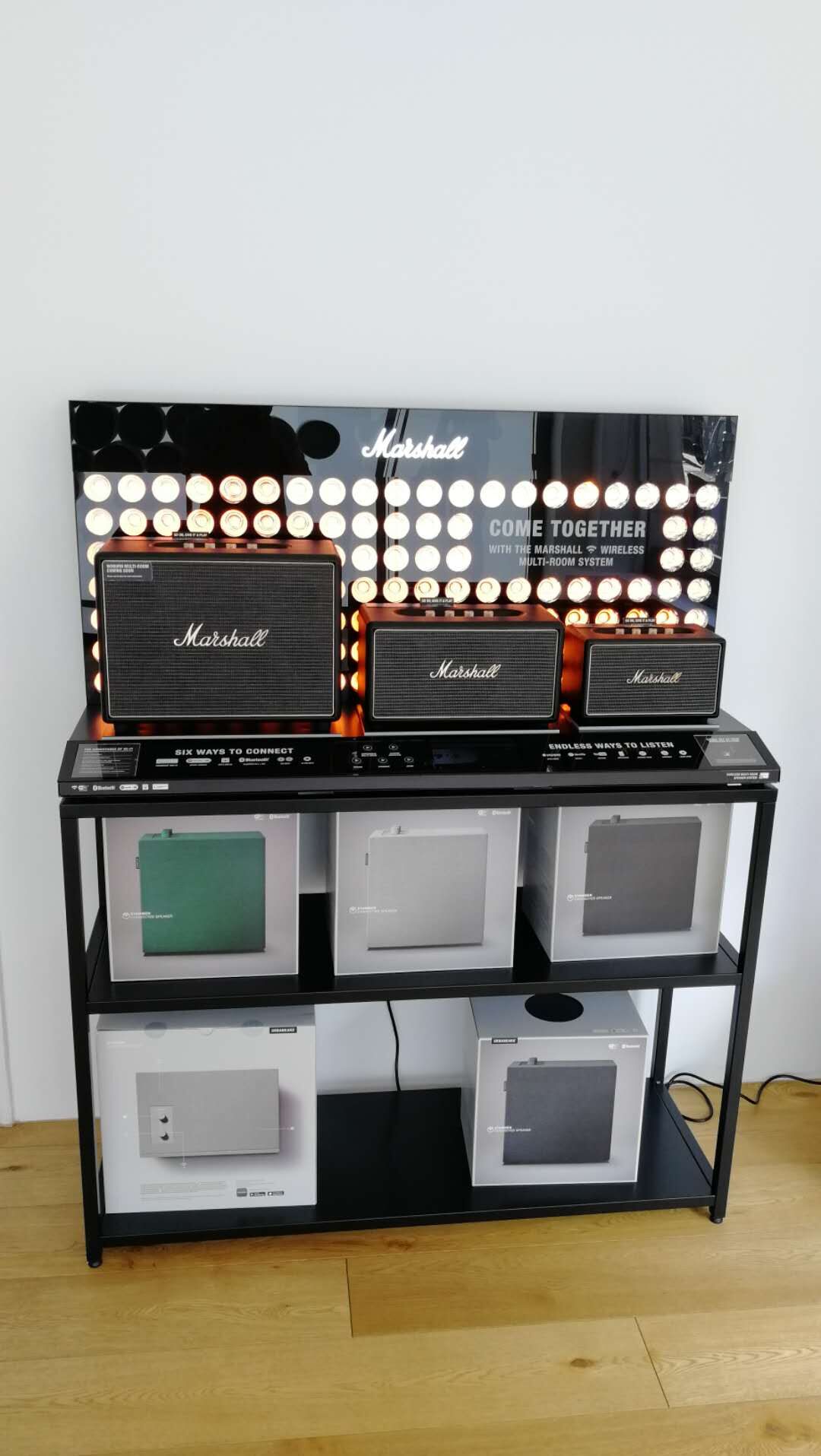
User Experience
Power on the unit, it goes into standby.
Single speaker mode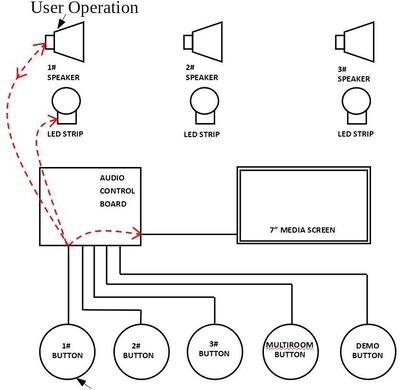
Once the shopper operates the knob on the speaker or the speaker’s selection push button, the speaker plays the retail-mode tracks and a designated demo video will be triggered on the 7 inch video screen, the LED strip will be turned on; when the user operates on the speaker but the video is going to the end, there will be a still image displaying until the user leaves away ( time-out ) or switches into other speakers or demo mode ( push button operated system overview and multi-room sync ).
System Overview demo
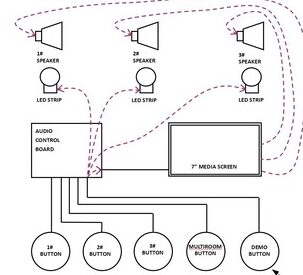
Press the demo button, The video player will send the audio into all the speakers with the designated demo video playing. All the LED strips will be turned on.
Multi-room demo
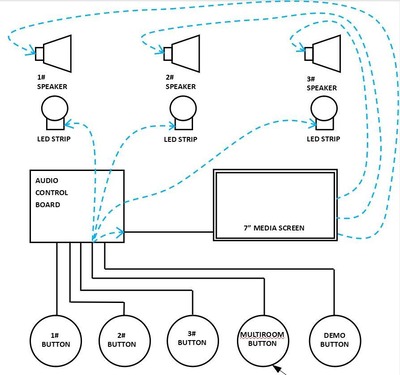
Press the multi-room button, the video play will send the audio into all the speakers with the designated multi-room demo video playing, all the LED strips will be turned.
Components List
- 7-inch video screen x 1pc;
- 3.5mm to 3.5mm audio cable x3, as data control between speakers and video screen
- 3.5mm to 3.5mm audio cable to feed audio into speakers x3
- LED strips x3
- LED push buttons x3
Connections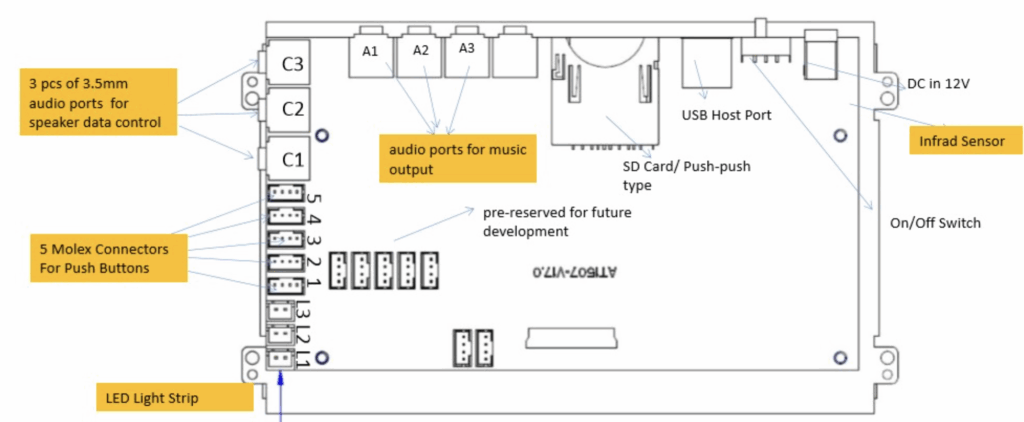
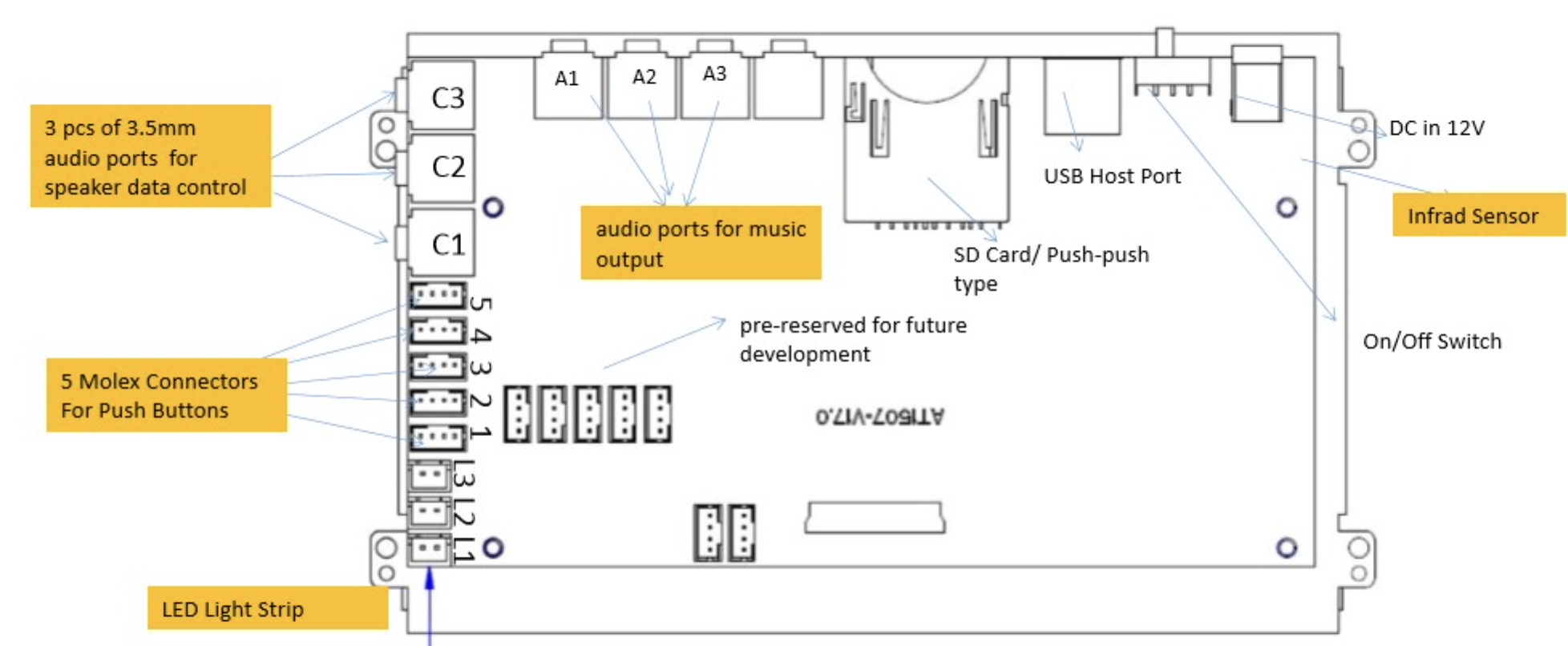
- A1, A2, A3: Audio Output To Speakers Via 3.5mm to RCA; A1 To Woburn; A2:To Stanmore; A3 to Acton;
- C1, C2, C3: Data Control To Speakers; C1 For Woburn; C2 For Stanmore; C3 For Acton;
- 1,2,3,4,5: Molex Connector For Push Buttons; 1 For Woburn; 2 For Stanmore; 3 For Acton; 4 For System Overview; 5 For Multi‐room;
- LED Strip L1 For Woburn; L2 For Stanmore; L3 For Acton;
Challenges & Our Innovation
Customers need an ideal feature as below:
If the shopper presses a pre‐set button on one of the speakers during the Multiroom function (or System overview ) that specific speaker becomes active and the display switches to single speaker mode again.
But the speaker’s native buttons remain idle during multi‐room or system overview mode, this is Marshall speakers’ firmware issue, in this way, operation on pre‐set selection buttons have no feedback, as the speakers have no feedback to that operation.
After testing, we found that Marshall’s firmware has an exit delay for system overview mode and multi-room mode. So during such a delay, the indicator LED on the speaker is on to show status of Multi‐room or System overview for 6 seconds before it is off and operation on pre‐set buttons could generate feedback from the speakers.
In order NOT to get the user confused, we added a still frame picture at the end of the video demo, and the duration of this still frame picture can be customized via on screen menu of the video screen accessing via remote control.