Dolby Atmos サウンドバー オーディオ デモ プレーヤーはどのように動作しますか?

Dolby Atmos サウンドバーのオーディオデモ

少し技術的ですが、それでも非常にシンプルです。

ただし、当社のサウンドバー オーディオ プレーヤーは Dolby Atmos オーディオをまったくデコードできません。では、Atmos のイマーシブ オーディオ エクスペリエンスを駆動および提供するにはどうすればよいでしょうか?

すべてのブランドの 4K LCD TV と Atmos サウンドバーには Atmos デコーダが搭載されているため、Atmos デコーダを内蔵する必要はありません。 Atmos デコーダーを利用してみませんか?

HDMI CEC コントロールを使用すると、オーディオ RAW データをサウンド バーまたは 4K LCD TV スピーカーに送信します。CEC コントロールを使用すると、サウンド オン/オフと音量コントロールを、サウンド バー オーディオ プレーヤーから TV リモコン コードを介して管理できます。

デバイスを機能させるにはどうすればよいでしょうか?

とてもシンプルです。

まず、Dolby Atmos サウンドバーを備えたサウンドバー オーディオ プレーヤーの No.1 HDMI 出力ポートを HDMI 入力ポートに接続し、HDMI ポートを介して 4K LCD TV にライン出力します。

2番目に、他のサウンドバーをサウンドバーオーディオプレーヤーの他のHDMIポートに接続します。

プッシュボタンセレクターを押して、LCD TV とサウンドバーの間でサウンドを切り替えると、さまざまなサウンドバーからの Dolby Atmos 効果を体験し、比較することができます。

次のビデオは、これらの技術的な詳細を視覚的に理解するのに役立ちます。

オーディオ、ビデオ、LED照明オールインワンのカスタマイズされた小売ソリューション


Audio, video and LED lighting all-in-one customized retail solution

For most brands, retailers, shop fitters, or retail display builders, combining a variety of retail electronics hardware into an all-in-one system with software interaction is not an easy task. We are in a position to address these challenges, building modular software and hardware with smart solutions with cheap technology for everything in the retail space, but after investigating them. , Redesign or develop into a solution.


The following example shows how to implement an audio demonstration using interactive elements such as motion sensors, audio, video, LED lighting, and push buttons.


>>> If the retail shopper is out of motion detection range, the display will remain in a still image or mute video loop.


>>> The display will enter attraction video playback until shopper movement (approaching the display) is detected.


>>> When the shopper is activated by either a push button (or touchpad or rotary encoder button), the display will move to the selected video with the LED strip lit. Play once, then return to the attraction video playback and turn off the LED strip lighting.

Audio Video LED Lighting Customized Retail Solution

In some retail applications, the client only needs a pure audio player and attracts shoppers to the audio signal only, as in the following example.

Pure Audio Demonstration

VideoScreen is not needed in this scenario. The rest of the user experience is similar to the previous example, with the addition of additional user interface elements. Line input for personal audio devices. Shoppers can listen to and experience their favorite songs and easily compare and find the expected audio quality. ..

小売広告のユーザーインターフェース要素としてのRFIDタグ

小売広告のユーザーインターフェイス要素としてのRFIDタグ

RFIDは少し複雑に聞こえますが、単純化しています。 RFIDライターとリーダーの組み合わせでRFIDタグコードを書くのは、ハンドフリップと同じくらい簡単です。次に、プリロードされたビデオ名をタグコードと一致させます。


2分でRFIDライターとリーダーのコンボを使用する方法を学びます(RFIDライターの取扱説明書をダウンロードしてください)。


一般に、RFIDベースの小売画面のユーザーアクティベーションには2つのタイプがあります。

ピックアップ&ラーン

買い物客は小売デモンストレーションRFIDリーダーパッドのアイテムの1つを手に取り、次に小売デモンストレーターが対応するビデオでアクティブ化されます(オプションのLED照明の変更)。

RFID Retail Screen Application

プットダウン&ラーン


買い物客は、小売デモンストレーションRFIDリーダーパッドからRFIDリーダーパッドまでRFIDタグ付き小売製品を配置し、対応するビデオで小売デモンストレーターをアクティブにします(オプションのLED照明の変更)。

RFID Retail Screen Put Item Down

Androidデジタルサイネージプラットフォーム

ARMとAndroidが主導権を握る前のマイクロコントローラーのネットワークサイネージ時代の骨の折れる経験から、ネットワークデジタルサイネージに関する知識と専門知識を獲得しました。

WebブラウザベースのCMSを備えたAndroidデジタルサイネージプラットフォームはクラウドベースであり、必要なデジタルサイネージデータ転送要件を満たすように拡張できます。 これにより、顧客は接続されたデジタルサイネージディスプレイを世界中のどこからでもリモート管理でき、以下をサポートします。

1)。 さまざまなレベルの権限を持つユーザー管理。 デバイスマネージャー、会社マネージャー;

2)。 デジタルサイネージメディアコンテンツ管理、プレイリスト、スケジュール管理。

3)。 公開、ロギング、エンゲージメント統計;

networked digital signage maker

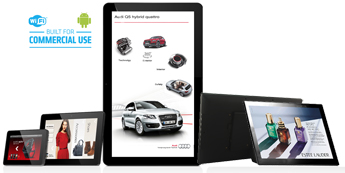
ロケーションベースのプレイリストとスケジュールを備えたチェーンストアレストランの店内デジタルメニューボード、イベント主導のプロモーションを備えた全国の自動車ディーラーショールームのカタログトーテムに必要なものは何でも、即座にネットワーク化されたデジタル as:セットトップボックス、小売用タブレット、デジタルメニューボード、HDMIポートを備えたLCDTVに接続する巨大なトーテム。

Android Digital Signage in diverse options

カスタムソリューション

AOKはカスタムソリューションを表示します

私たちは、お客様が市場で差別化され、目立つようにするための製品戦略として、カスタムデジタルサイネージソリューションの開発を続けています。 その過程で、私たちは想像力を駆使して価値を提供し、既存のアイデア、ルール、製品を超えて働きます。 しかし、最初で最も重要なことは、お客様の声に耳を傾けることです。

Proof-of-concept Prototyping

私たちは経験を生かして、お客様が望む製品を設計します。 AOKディスプレイは、次のような幅広いカスタマイズオプションを提供します。

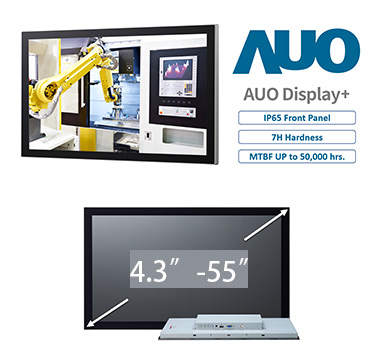
    • さまざまな画面サイズとハードウェア構成
    • カスタム仕上げ;
    • 自社のブランドとパッケージ;
    • カスタムツール/エンクロージャー;
    • シーリングとシールド;
    • 特別なケーブル配線と電源ソリューション。
    • 社内プロトタイピング;
    • 概念実証モデル。
    • コンプライアンスエンジニアリング;
    • グローバル安全認証:UL、CSA、FCC、CE、CTICK、VDE、およびTUV; </スパン>

Custom tooling

小売オーディオPOPケーススタディ:パナソニックのヘッドフォンとスピーカーのデモンストレーションベンチ

headphone-speaker-demonstration-system-configuration

Retail equipment is made on a CNC (Computer Numerical Control) machine that customizes colors by spray painting flat metal sheets. The user interface includes LCD panels, photoconducting plates, buttons and line input cables. Three button types are available. Capacitive touch buttons (easy user engagement), rotating buttons, LED illuminated push buttons.

light-conducted-plate-in-demonstration-bench

The photoconductive plate is made of an acrylic plate with a laser-made pitch matrix that eventually diffuses light from the side LED strips throughout the plate. Power is supplied from the power port on the motherboard.

board-for-rotary-buttons-on-audio-demonstration-bench


Headphone and speaker demonstrations will be personal, supporting the line input of your personal audio device and listening to your favorite songs for easy comparison.

GPIO-port-power-port

GPIO port for button control and power port for lighting power.

retail-audio-demo-open-frame

Inside view of the mounting diagram

シリアルコマンドを介してデモンストレーションアイテムと通信するインタラクティブな小売ソリューション

An interactive retail solution that communicates with demonstration items via serial commands

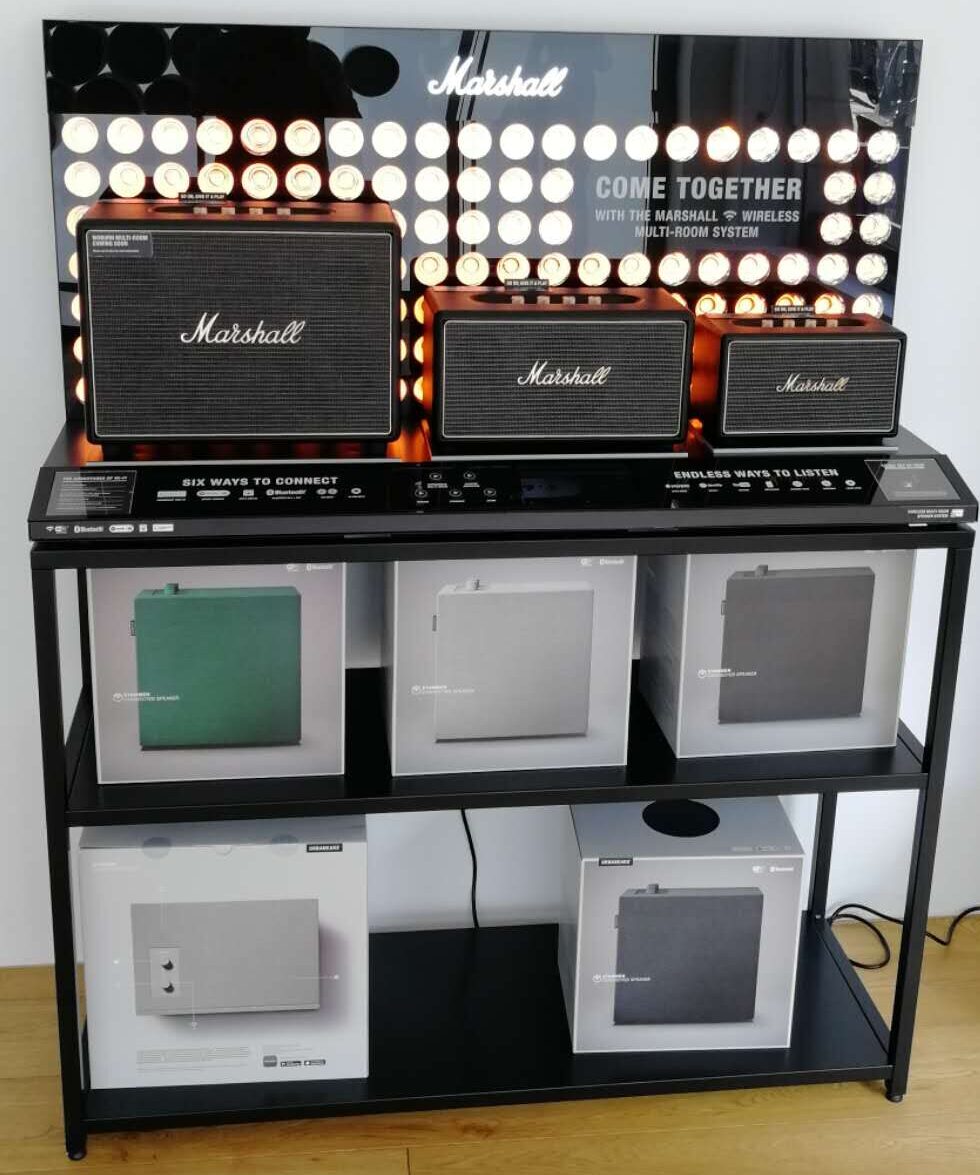
If the client puts the unit into “retail mode” or creates a retail demonstration version of the unit, the demonstration solution must communicate with the unit to take advantage of the natural and true quality and performance of the retail version of the unit. There is.


Assuming a multi-room speaker situation, the client creates a retail version of the speaker, interacts with the retail interactive demonstrator using a serial port in the form of a 3.5mm port, and redesigns the media player app and event trigger commands. And match the client’s retail version item. The system is modular from the start and can respond quickly to client needs so your project is never too small or too complex.

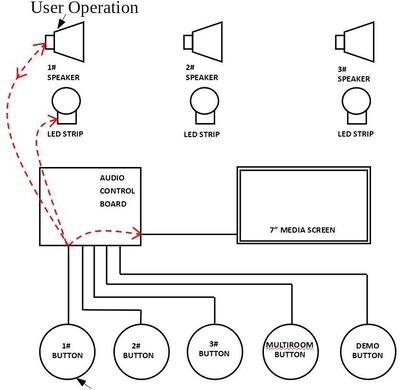
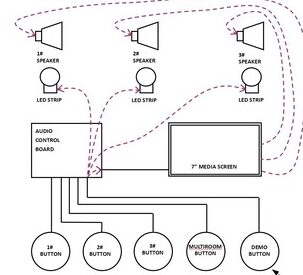
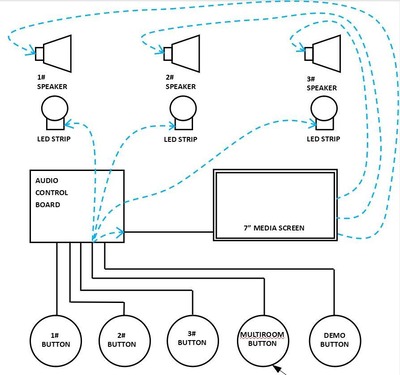
For the animation above, the speakers have a built-in media player with preset playlists, but in 1 #, 2 #, 3 # button modes, they play their own music tracks and the user is naturally on. Operate the button. Demonstration speakers and demonstration videos will be played on the screen. Do not mix these. Here, video and audio are completely separated from the various systems.


For more information on this creative retail solution, please download this specification.

プッシュボタン付きの4Kサウンドバー小売デモンストレーション

プッシュボタン付きの4Kサウンドバー小売デモンストレーション


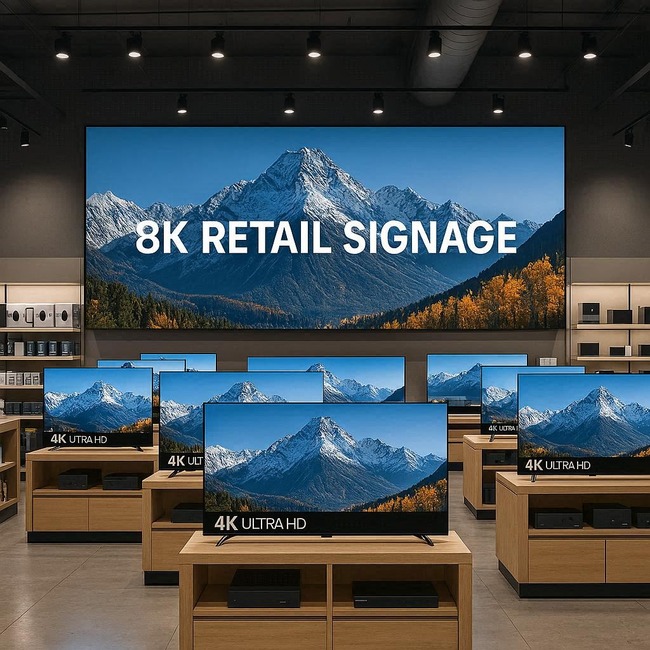
このシステムは、押しボタンと4K LCD TVを使用して、買い物客がTVとサウンドバーの音質を比較できるようにします。サウンドバーデモンストレーターは、デフォルトのループビデオに自動的に電源を入れ、ユーザーがプッシュボタンをアクティブにするとアトラクションビデオに切り替わります。液晶テレビとサウンドバーを中断することなく切り替えます。 LED照明は、小売デモンストレーション中の音楽スイッチをサポートします。

Sound Bar Retail Demonstration Application

このサウンドバー小売デモンストレーションステーションのコンポーネントリスト:

>>サウンドバーデモンストレーター1080Pバージョンまたは4Kバージョン。

>>液晶テレビ(HDMI入力画面);

>> 12V RGBLEDストリップ;

>>サウンドバー;

>>プッシュボタン;

小売ユーザー要素のバリエーション:

特定のユーザーシナリオに応じて、ユーザーインターフェイスはプロジェクトごとに異なり、デモサウンドバーの数は1〜8の範囲になります。ソフトウェアをカスタマイズして、以下を含むがこれらに限定されないすべてのユーザーインターフェイス要素をサポートできます。

>>プッシュボタン;

>>静電容量式タッチパッド/タッチボタン;

>>タッチスクリーンAndroidまたは非Android;

>>モーションセンサー(1つまたは2つを一緒に);

>>バーコードリーダー;

>> RFIDリーダー;

>>パーソナルオーディオデバイスのライン入力。

>>マグネット/ホールセンサー;

小売およびホスピタリティ向けのAOKディスプレイ

AOK Display Retail&Hospitality Digital Signage Playersは、顧客がマーケティング効果を高め、投資収益率を高め、マーケティングメッセージを前進させるのに役立ちます。

AOK Displays For Retail & Hospitality Digital Signage

世界小売会議によると、小売とホスピタリティにデジタルサイネージを導入することの利点は注目に値します。

> 魅力的なブランド体験を作成します。

> 顧客が店舗で購入を決定するのを支援します。

> オムニチャネル戦略を有効にします。

> オフラインの「ブリック」と「クリック」をオンラインのO2O戦略に接続します


AOK Displayは、7/24/365の頑丈なトップレベルの商用デバイスであるだけでなく、検証済みのソリューションパートナーの紹介と、独自の使いやすいコンテンツオーサリングツールを含むコンテンツ作成サポートを備えたカスタマーケアソリューションでもあります。オファー。 SMEバイヤー向けのDIYコンテンツ。

헤드폰 / 스피커 소매 쇼룸 제품 선택 및 콘텐츠 배포

ヘッドフォン/スピーカー小売ショールーム製品の選択とコンテンツ配信

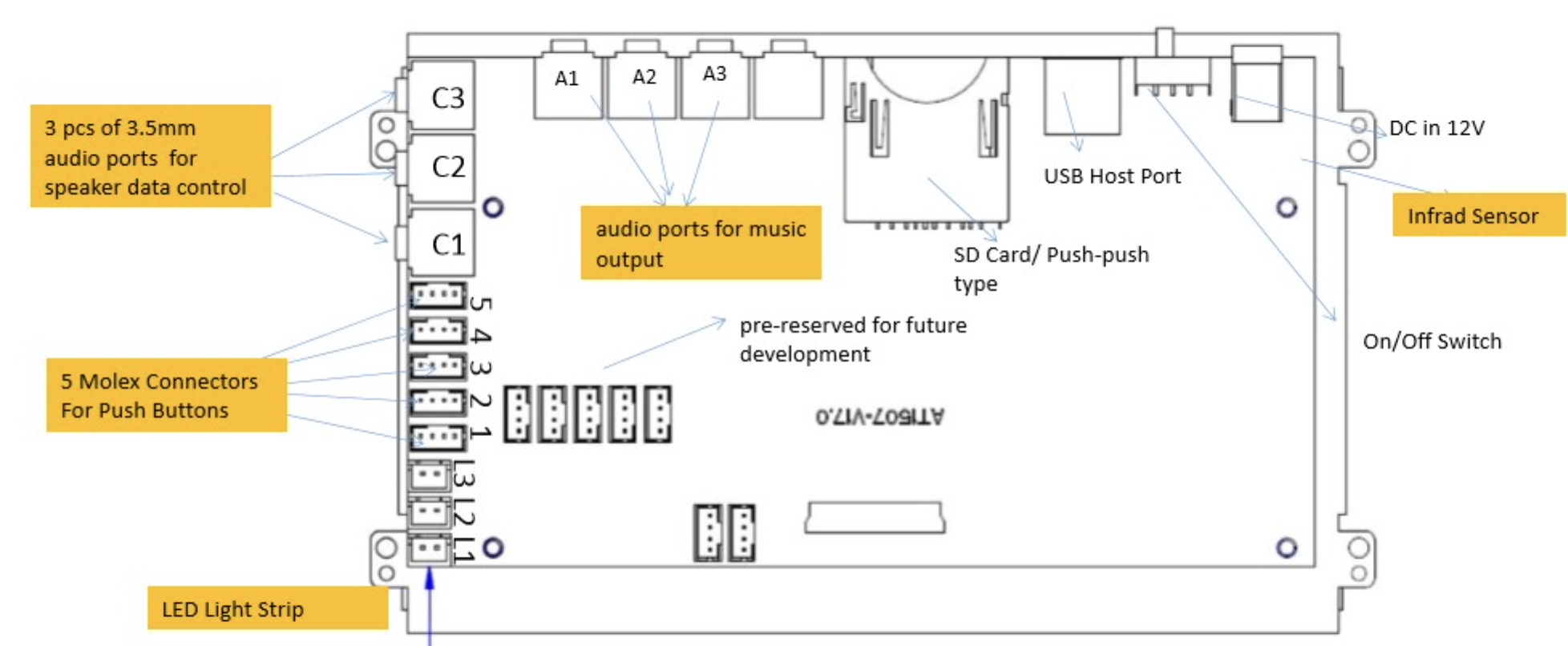
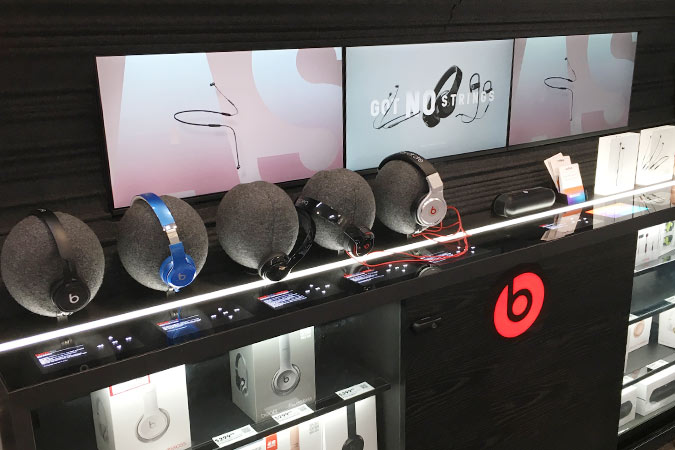
ヘッドフォンとスピーカー小売ショールーム製品の選択オーディオプレーヤー、当社のソリューションは、小売部門の典型的なニーズを満たすために完全に開発されており、最大6つの3.5mmヘッドフォン出力、オーディオライン付き3.5mmポート、電源を備えています。 パワードスピーカーのデモンストレーションを受け入れるためのボード上のMolexコネクタを供給するUSBポート、ユーザーアクティベーション用のプッシュボタン。

Headphone Retail Showroom Product Selection

一般的なユーザーシナリオは、ボタンを初めて押してオーディオを専用出力に送信してから、もう一度ボタンを押して次のトラックにスキップすることです。 ヘッドフォンのデモンストレーションでは、クライアントが自動電源を入れてデフォルトのファイルをループし、すべてのチャネルにオーディオを送信するか、電源を入れてスタンバイモードを維持することも一般的です。 一部のプロジェクトでは、選択した製品を強調するためにLED照明が必要です。 一部のプロジェクトでは、オンとオフを切り替えるためにLED照明が必要です。 一部のプロジェクトでは、LED照明が徐々にブームまたは呼吸する必要があります。

すべてのオーディオデモンストレーションソリューションが同じように設計されているわけではありません。 マーチャンダイジングの目的をカスタマイズして、達成可能なアクションプランに変えることができます。

小売ユーザー要素のバリエーション:

特定のユーザーシナリオに応じて、ユーザーインターフェイスはプロジェクトごとに異なり、デモサウンドバーの数は1〜8の範囲になります。ソフトウェアをカスタマイズして、以下を含むがこれらに限定されないすべてのユーザーインターフェイス要素をサポートできます。


>>プッシュボタン;

>>静電容量式タッチパッド/タッチボタン;

>>タッチスクリーンAndroidまたは非Android;

>>モーションセンサー(1つまたは2つを一緒に);

>>バーコードリーダー;

>> RFIDリーダー;

>>パーソナルオーディオデバイスのライン入力。

>>マグネット/ホールセンサー;

>>アナログ-デジタルコンバーター;