Categories
News Releases Uncategorized

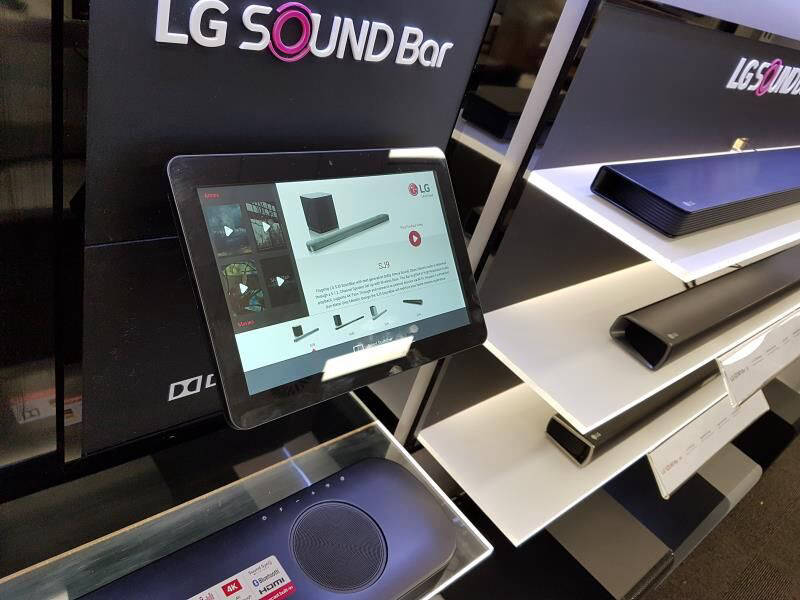
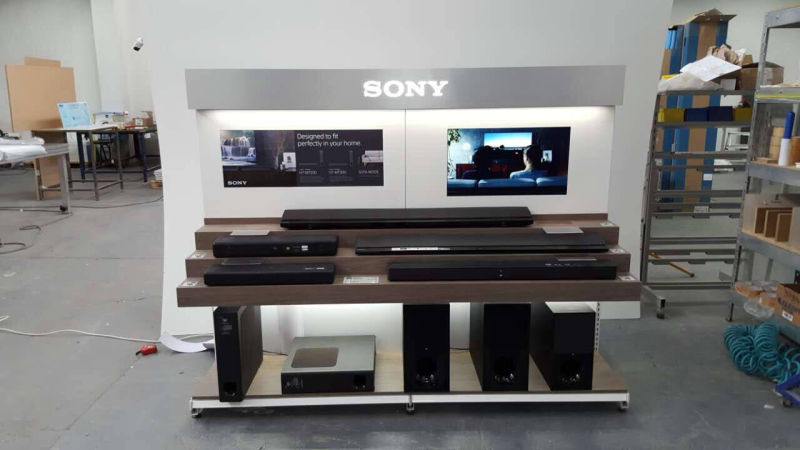
How Sound Bar Demonstrator Supporting Dolby Atmos Works

How Sound Bar Demonstrator Supporting Dolby Atmos Works.


Dolby Atmos is an object-based sound system, it has become now the benchmark for at-home surround sound. The format is now widely available from Ultra HD Blu-ray discs and streaming services like Netflix, Amazon Prime Video and Disney+.


What exactly is Dolby Atmos ?


Dolby Atmos isn’t actually a soundtrack at all. It’s metadata that is used by compatible audio gear to control which speakers are reproducing certain sounds. A good example is when a aircraft flies overhead in a movie. Without Atmos information, the sound of the aircraft is embedded in one, or many, of the surround sound channels. But so are all of the other sounds you’re hearing.
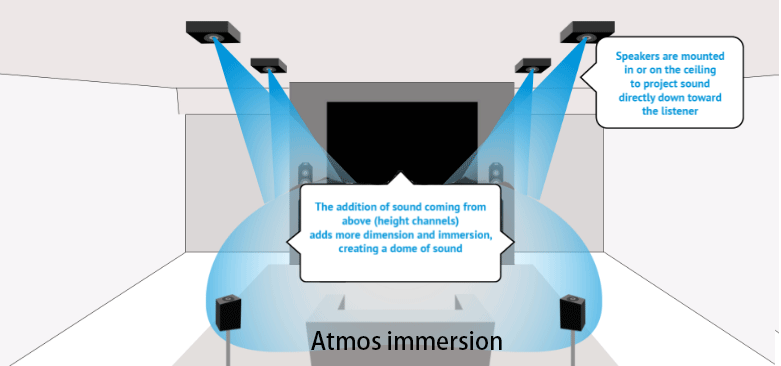
Dolby Atmos Explained

With Dolby Atmos, the aircraft is treated as its own discrete object, and a Dolby Atmos receiver can use that information to separate the aircraft sound from the background sounds and move it independently from one speaker to another. The result is a very convincing 3D placement of sounds for a much more immersive movie experience.


There are many Dolby Atmos-compatible sound bars, and they can get access to Dolby Atmos content then deliver Dolby Atmos sound, that’s it ?


Technically, yes, but actually no.


For retail display manufacturers or sound bar brand end-users, they are facing the following challenges:


  • the sound bar demonstrator or soundbar audio player is not Dolby Atmos compatible if they use OEM media players;
  • the brand audio players which are Dolby Atmos compatible are not re-programmable, that’s to say, they could not build customized, interactive shopping experience;
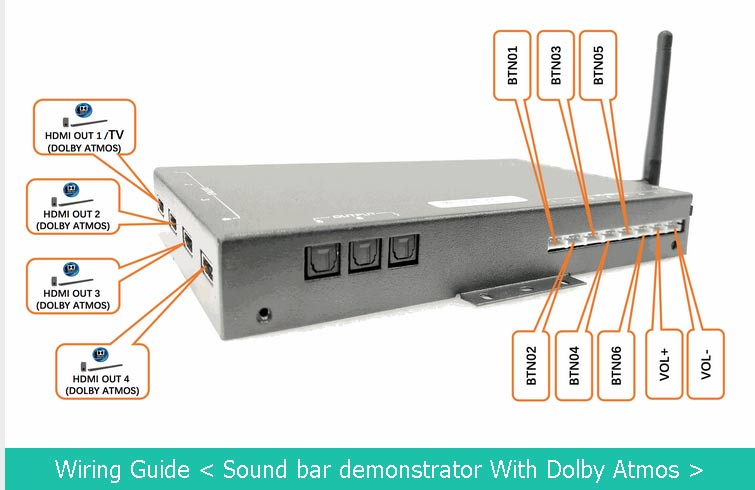
Sound bar demonstrator supports Dolby Atmos

AOK Display’s solution is very simple.

we take advantage of the pass-through capability of our 4K UHD sound bar demonstrator, to let the audio player send the raw audio data to Dolby Atmos Compatible receiver (the demonstration sound bars ) decode the Dolby Atmos content directly. Thanks to CEC control, we could program interactive user flow and control the following user elements:

  • playlist,
  • volume increments,
  • default volume,
  • audio timeout,
  • default loop file,
  • default status: loop, mute on/off, standby,
  • playlist matcher,
  • CEC control
  • LED retail lighting patterns


All those will be tech-free done with a XML based text file, with simple syntax we defined.


To get the detailed instruction on how we make this revolutionary Dolby Atmos Sound bar retail demonstration solution, please get the user manual below:
 

User-Manual-For-Testing-Dolby-Atmos-Soundbar-Demonstrator

Categories
Development News Releases Uncategorized

Introducing touchless sensor based airbutton for drop-in replacement of traditional push buttons

Introducing touchless sensor based “airbutton” for drop-in replacement of traditional push buttons

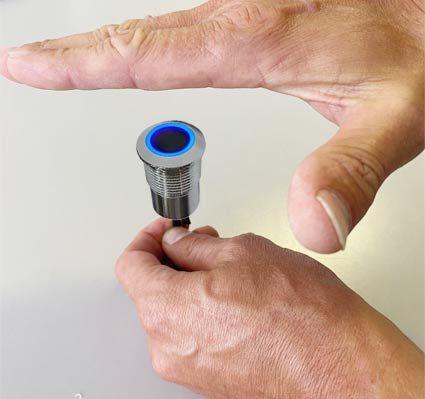
Due to long time conditioning with Covid-19 crisis, shoppers prefer to use buttons without touching them, thus, we have to bring a new contactless solution to the interactive retail fields. We are introducing you our touchless sensor (PIR) based “airbutton” for drop-in replacement of traditional push buttons in existing interactive displays.

touchless button drawing

By waving or swiping the hands over the air (sensing range up to 10cm), the 2 PIR sensors could record the hand movement and send commands to the media player board, just like what we are doing with push buttons.


touchless sensor button board drawing

As the pin assignment and the installation profile remain unchanged compared with the traditional push buttons, our touchless sensor buttons could support drop-in replacement with the metallic push buttons on the existing interactive retail displays. Retail brands could also retrofit the existing displays with the touchless sensor button technology.

Categories
News Releases Uncategorized

Commercial Tablet O/S: Which To Choose & Why

On the basis of the operation system, the commercial tablet global market is categorized into Android, Windows, iOS and Linux.

With Android is seemingly becoming the dominating operation system (O/S) for most of retail signage projects, other O/S are also playing high-impact roles in different end-use industries like iOS for fashion & luxury segment, Windows for healthcare & education, government, And Linux is also very popular for some top-level, highly purpose-built projects due to the obviously advantages.

commercial tabletWindows Commercial Tablet With Peripheral Kit

For a custom signage project, what operation system should we choose, it is mainly based on several factors like the following:

  • Performance : Hardware configuration.
  • Cost: purchase cost, as well as switch cost if changing from existing OS to a new one.
  • Support: ease to get update on hardware and software, parts availability in next 5 years, compatibility with the hardware manufacturing ecosystem.
  • Buyer’s Internal Team and engagement depth in product development & innovation.

1# Performance: Hardware configuration

This is two sides of a coin, at one side, today’s hardware configurations are very high already, but at the other side, the Andy and Bill Law has swallowed too much hardware performance by continuously updating the O/S.

Andy and Bill Law is playing a very deep impact for OS of Android, Windows & iOS.

If the end-use application is very simple, while people choose O/S like Android or Windows to rule the hardware, then it means a huge part of hardware performance has been wasted compared to Linux OS, which is light-weight, running on very low RAM to afford the end-use applications.

2# Cost

Cost is always a main factor, here there is an invisible part of the cost called switching cost, for example, if switching from Windows to Android, for some industries like healthcare, government, education, the switching cost mainly comes from the app development, in most cases, these industries have special regulations to evaluate and approve the new alternative applications.

3# Support

Windows is a closed ecosystem, thus, it is different with Android in which every developer could modify the system level code to their own convenience; Android is an open-source platform, but chipmakers O/S level SDK is not open-source. So Android is very friendly to app-developers, but in most cases, it still requires chip-makers’ support for many critical features. Compared with Windows & Android, Linux is widely used for hobby & DIY market due to its newly 100% open source ecosystem except the hardware design schematic is not open to public.

4# Buyer’s Internal R & D force

If you are an android app developer, the most preferred O/S may be Android ; In addition, if you feel exhausted to manage the different app versions with Android O/S updates from android 4.4, android 5.1, android 6.0, android 7.1, android 8.1, to android 9.0…, you may want to try Linux and start building the kernel level drivers, video codecs etc, even if it is always very time-consuming and challenging at the beginning.

But this journey may pave a way to success, please note that Brightsign media players running its proprietary Linux-based apps take a biggest market share for digital signage segment.


Understanding the 4 decision factors, we have refined our commercial tablet lines into the 3 categories:

  • Android: for most of retail signage projects when end-users have access to android application developers.
  • Linux: For customers who have deep knowledge about their application and have the internal R& D force to develop their own Linux based app, And we have built our hardware to be friendly to the open-sourced PI inspired hardware, via plug & play basis for implementation.
  • Windows: We have built a handheld POS peripheral kits with interchangeability so that we would use modular based commercial grade Windows / Android tablet to build a versatile POS station without the burden to manage different tablets hardware, when I/O and peripherals interchanging are not a challenge.
Categories
News Releases Uncategorized

LCD Sheld Edge Screens For Any Needs

Shelf edge screen solution

Design+Develop+Production Under One-Single Roof

We design the electronic board, develop the software, and mechanical tooling, then fulfill production in-house.

Different Configurations For Different Applications

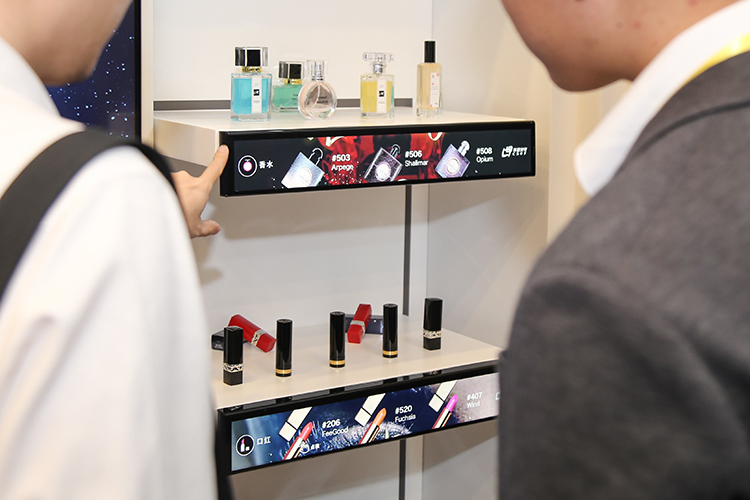
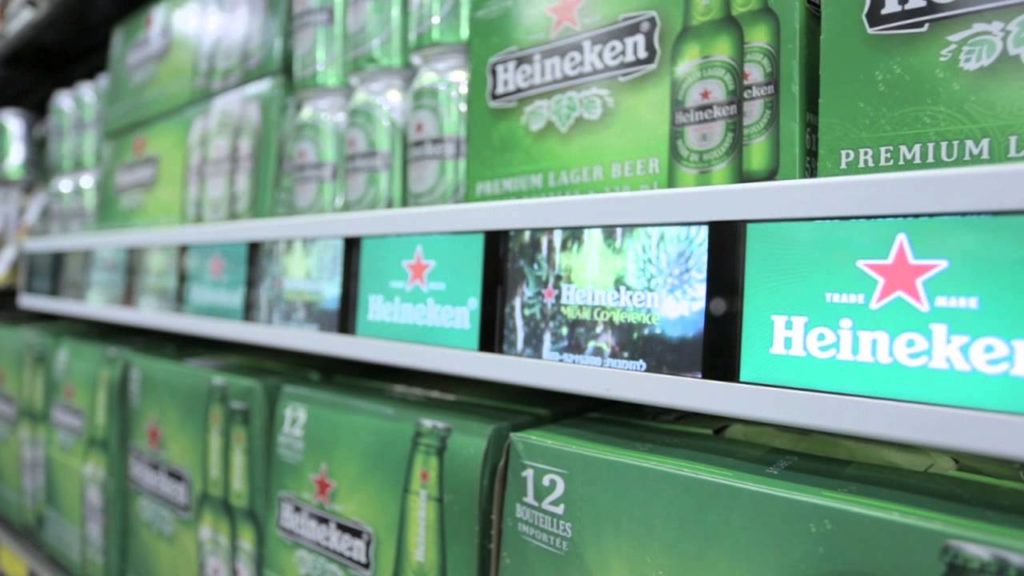
Multi-screen bar display or single stretched screen; Stand-alone or Networked; Media Player Screen Or Monitor; Non-touch or touchscreen, we are able to customize & configure the most suitable solution.

Unifiealsld API For Integrating IoT Peripher

Everything required on shelf edge, no matter it is motion sensor, facial recognition camera, or any other retail analytical IoT sensors, we have produced, developed or researched for you.

unifieasld api

Multi-screen Bar

A Group Of Media Player Screens

Display Your Compelling Video Ads In A Group Of Split Screens,
To Generate Massive Attraction Like A Theatre Display Of 1.5M Wide; Each Screen Stores Its Content With The Same File Name To Form A Playlist With Play Sequence Controlled By The Synchronizer


multi screen bar

Single Stretched LCD

Up to 48″

The Shelf Screen has an internal media player with full HD video decoder (1080P), plug in a SD card or USB drive with your content then it plays directly in a loop. The solution mother board is available with any interactivity options for retail advertising use.

FULL HD LCD

Android Multi-screen

Small Screens, Big Impact

Android Networked Shelf Edge Screen Solution Is Working with 3rd party remote content management system to update the content and device playback logging in real time, the display element can be promo QR code, voucher code, video, image, etc.


ANDROID MULTI SCREEN

Videowall Monitor Strip Networked

What Big Brands Prefer

Videowall monitors come with HDMI-in & HDMI-Out to connect with media player controller to receive the assigned signage content , the IR sensor is used to set the monitor wall sequence & position (X, Y)

VIDEOWALL MONITOR STRIP

Vertical LCD Strip

Vertical animation

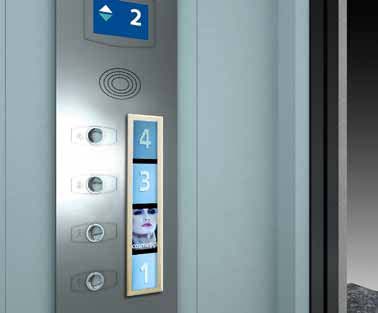
In some application like elevator screen where space is very limited and vertical animation delivers great impact to audience inside.

VERTICAL ANIMATION LCD STRIP

4K Ultra-wide Strip

4ft / 1200mm wide

Shelf Stretched Screen comes in 4K resolution, shelf edge wide size to employ the available space with the greatest efficiency while delivering the highest quality video content, it is available either as monitor, media player or android networked player.

Categories
News Releases Uncategorized

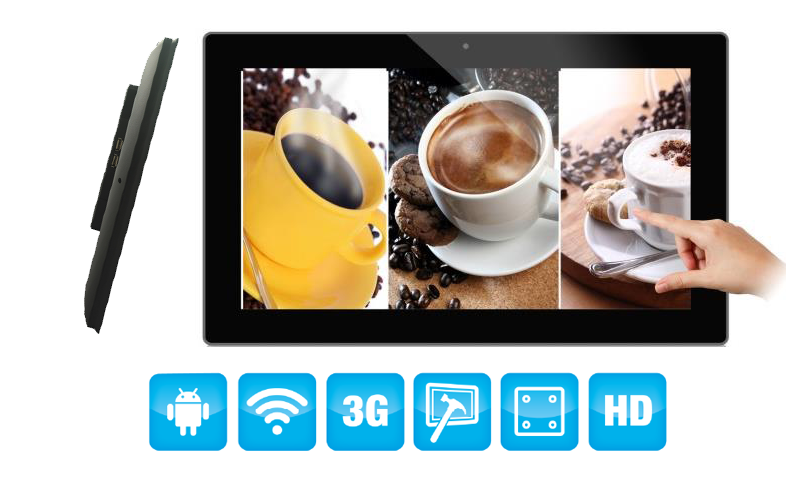
Commercial Touchscreen Tablets 6″ to 55″

Everything Android Commercial Devices

COMMERCIAL DEVICES IN ANDROID

Commercial Tablet Android

Available from 6-inch to 55-inch

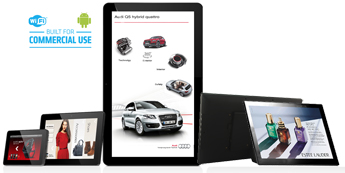
From the tiny screen on shelf-edge mounted to the giant screen floor-standing in shopping mall, Our android commercial tablets have rooted android O/S to let end-users debug with their own android apps, we also support clients with custom ROM and hardware modification when they need to control audio, serial peripherals with customized user flow.

Learn More

HOTEL CHECK IN KIOSK

Hotel Check-in Kiosk

Available in 13.3-inch, 21.5-inch

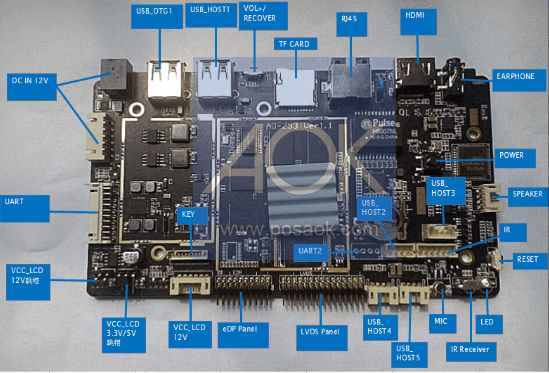
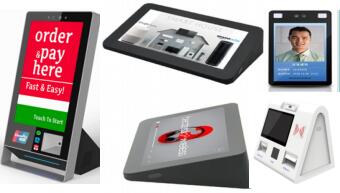
This solution board is versatile with face recognition capability and support for RFID/NFC reader, Access Card Dispenser, Thermal printer & 2D code reader, it is completely designed for commercial use where running 7/24/365 is crucial. It simplifies the user flow of access control, token dispenser & payment, to make it an all-in-one solution as hotel guess self check-in station (unattended ), cinema ticketing, visitor management in public community,

Learn More

QUEUE MANAGEMENT KIOSK Commercial Touchscreen Tablets

Queue Management Kiosk

Available From 10.1-inch To 31.5-inch

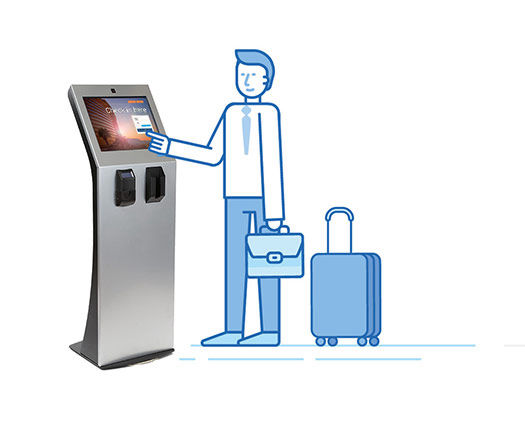
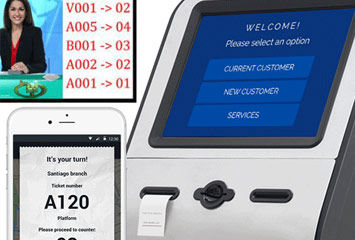
This line of android tablet kiosks simplifies the user flow management in the public space, With user app, device app & CMS in cloud server, it offers a complete, centralised management of front & back office activities. Typical application scenarios are in public authority, hospitals, banks, schools, restaurants. We offer queue ticket printer tablet as well as queue token android display, with power-over-ethernet function.

Learn More

FACIAL DETECTION DISPLAY TERMINAL

Facial Detection Customs Terminal, Now comes thermometer display with fever detection & alarm

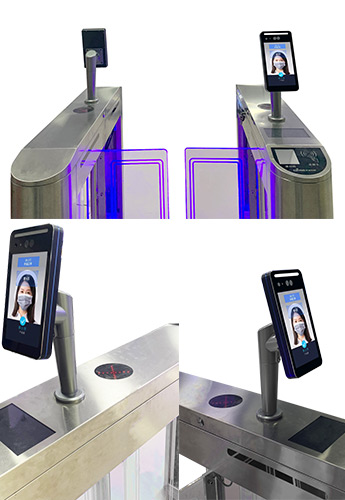
This solution is made of our access control tablet with face recognition capability completely designed for commercial use where running 7/24/365 is crucial. Its face-recognition biometric camera supports quick recognition for human faces preloaded or online library. The built-in infrared camera makes it idle-picture proof and reads only real human face ( printed face not working ). In addition, it has integrated RFID reader for visitor access, the built-in Relay can manage the external locker switch,
PAYMENT KIOSK OF FACIAL RECOGNITION

Facial Recognition Payment Kiosk

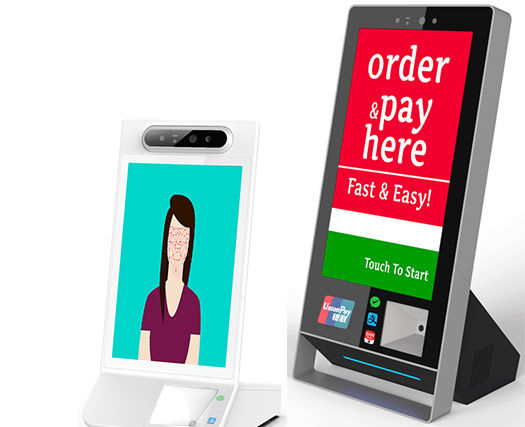
Facial recognition payment is more and more popular, Besides facial detection camera on frontal top, this desktop self-standing kiosk is a solution with perfect viewing angle, the nature user flow of QR code scanning, NFC card reading, Keyboard input, as well as thermal printer; All the peripherals are plug & play, thus the solution has other applications as well with different app support.
KIOSK FOR SELF ORDERING PURPOSE

In-Store Self-ordering Kiosk

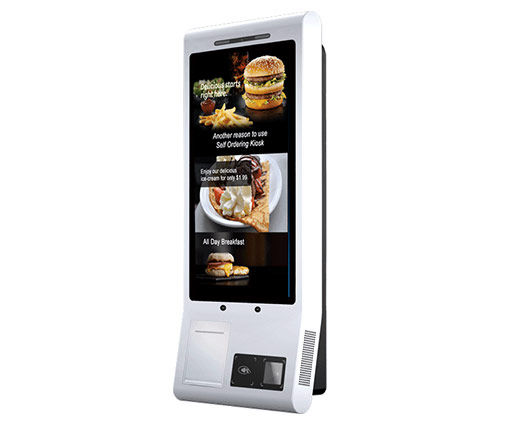
Self-ordering kiosk shares the same hardware of hotel check-in kiosk, in most cases, clients require customized metallic or plastic casing in order to ensure a user-friendly yet anti-tamper user interface. With facial recognition camera becoming more and more affordable, the next generation self-ordering kiosk is available with facial detection camera. In the usage when an administration would be in place, a separate handheld payment terminal could be added for non-facial recognition payment.

Solution Features

SOLUTION FEATURES DISPLAY Commercial Touchscreen Tablets
  • Allow users to access allowed APK or Website only;
  • Supports Full-Screen Browsing With Hidden Status Bar;
  • Password protection for exiting the Full-Screen;
  • Auto USB Copy & Auto Power On/Off;
  • Supports Various External POS Peripherals;
IPS PANEL MULTISCREEN TOUCH
  • Available in Framed, Openframed, Or Multi-Screen Shared Touch;
  • Proven High-reliability 7/24/365 By Top Brands;
  • IPS panel full viewing angle for all models;
  • Various Android O/S Versions;
  • Various Hardware Configurations For YOUR project;
SERIAL AND INTEGRATION
Serial & Integration
Peripheral Integrations Support
Customized Form Factor For Projects
Various Form Factors
Customized Form Factor For Projects
QUALITY COMMERCIAL GRADE TOUCH SCREEN Commercial Touchscreen Tablets
Quality Touchscreen
Quality, Commercial Grade Touchscreen

Solution Specification

  • LCD Panel / Display
    • 6.2 /7 /8 /10.1 /11.6 /13.3 /15.6 /18.5 /21.5 /23.8 /27 /31.5 /43 /55 (check the tech-spec in the quick selector table below )
  • Processor, RAM & O/S
    • Cortex-A9 Quadcore RK3188, 1GB RAM, 8GB ROM, Android 5.1
    • Cortex-A17 Quadcore RK3288, 2GB RAM, 8GB ROM, Android 5.1
    • Cortex-A72+Cortex-A53, RK3399, 4GB/2GB RAM, 8/16GB ROM, Android 7.1
  • Interactivity
    • Multi-touch projected capacitive;
    • 5-point simultaneous touchpoint;
  • Connectivity & Interface
    • Video Output: HDMI (optional );
    • Audio Output: External Speaker Connector Or Built-in Speakers;
    • External Control: Ethernet / RJ45 ( POE available up to 18.5-inch );
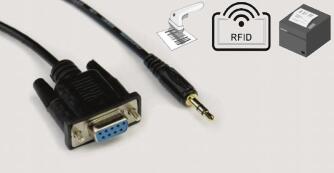
    • Other Connections: USB, OTG, SD Card, RS232, RS485, GPIO;
  • Audio
    • Built-in Speaker 2x2W /3W /5W;
    • USB Audio Class (UAC support );
    • SPDIF (Toslink / Optical Port );
  • Custom Options
    • ARM Board Development & Custom ROM;
    • Play Control App Support;
  • MultiMedia Applications
    • USB Playback Audio: .AAC, .M4A, .MP2, .MP3, .WMA
    • USB Playback Picture: .BMP, .GIF, .JPEG, .JPG, .PNG
    • USB Playback Video: .3GP, .AVI, .DAT, .FLV, .MKV, .MOV, .MP4, .MPG, .TS, .VOB, .WEBM
  • Operating Conditions
    • Temperature range: -5–50 degrees;
    • Relative humidity: 20–80%;
    • Temperature Storage: -20—-60 degrees;
  • Ordering Options
    • Tablet Unit Console Framed, OpenFramed, SKD;
    • POS/ Retail / Automation Peripherals With Control Kit;
    • AC Adapter;
Quickly Select To View Tablet Specifications:
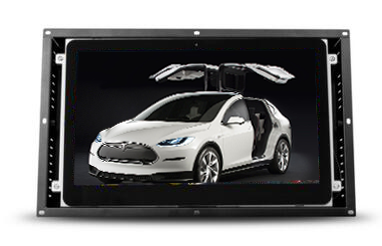
Quick Product SelectionOpenframed Tablet (Frameless) 6.2″ 7″ 8″ 10.1″ 11.6″ 13.3″ 15.6″ 17.3″ 18.5″ 21.5″ 23.8″ 31.5″
Quick Product SelectionFramed Tablet 10.1″ 11.6″ 13.3″ 15.6″ 18.5″ 21.5″ 23.8″ 27″ 31.5″ Covid19 Thermo Meter display 55″ RFID


Projects We Ever Made…

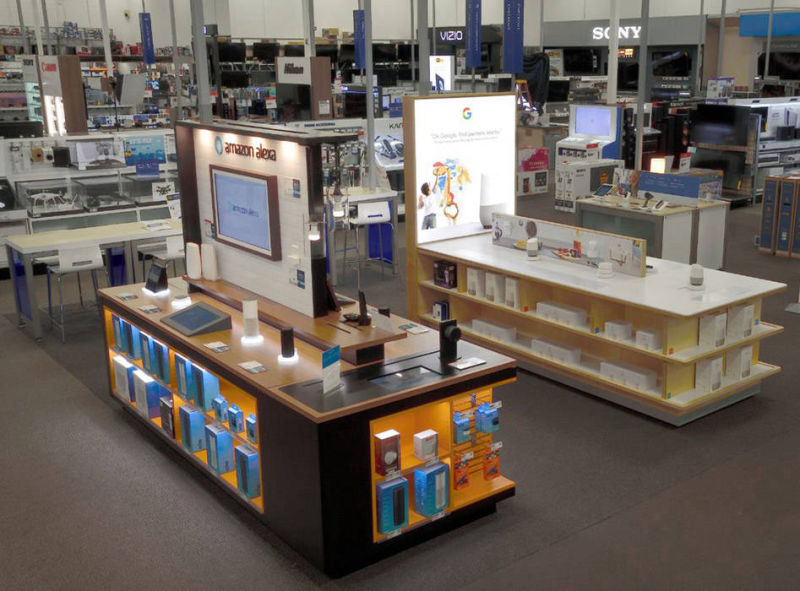
Amazon & Google IoT Experience Centre in Best Buy / 2018, 800 sets, USA


Our Clients

trademark logo

***All trademarks, and logos appearing on the site are the property of their respective owners.

Our happy clients include Amazon, Beats, Google, Sony, Bowers & Wilkins, LG, Samsung, Panasonic, Tomtom, Marshall, Denon, Sonos, IKEA, Yandex, Philips, Ring, Nest, AKG, Audio-technical, JBL ……


Our Mission

Our mission is to improve the quality of the clients’ business life with safety, efficiency and peace of mind, via simple customization of our existing product lines or design & development of 100% new products. 

  • Safety Lowest Product Failure Rate, Product Life-circle Support; 
  • Efficiency Increase productivity and decrease costs; 
  • Peace of mind Proprietary, modular-base solution with interplay of hardware & software.


Categories
News Releases Uncategorized

Shopper Analytics Becomes A Universal Technology With Biometric Camera For Face-Recognition

There have been quite a few years when retail shopper analytics is not effective. No matter how advanced technologies we use, for example iBeacon, RFID tag, touchscreen to record in-store shopper’s activities, the shopper analytics is just neither precise nor relevant, if we found the analytics not positive, we are not able to improve shopper experience at the very moment.

face recognition camera for retail analytics

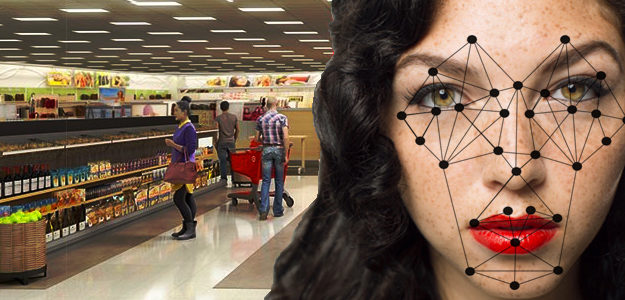
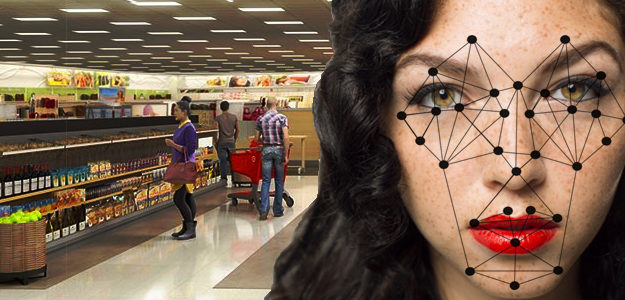
Today, Shopper analytics becomes a universal technology. As biometric camera with face-recognition capability & built-in algorithm helps retail signage app developers understand shopper’s activity precisely & effectively.

face recognition retail analytics

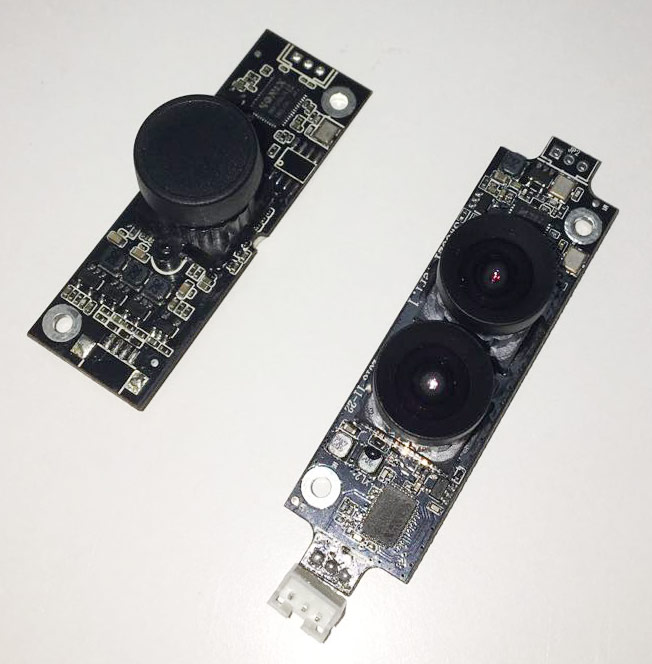
Biometric camera module, which is always made of two cameras, one is with infrared sensor, the other is equipped with RGB sensor, can read real people only. So retail signage system with shopper analytics can detect the presence of people and univocally identifies them, no matter whether the shopper is passing by with straight footfalls, or taking a quick glance but actually didn’t stop to engage at the retail display, or just stopping to keep engaged for a while. Through the preset object pattern set, the system detects the interactions of the shoppers with the products on the shelf/riser/ demonstration table if a product is picked up or the product is taken & then put back. It can be integrated with connected displays, also, it can work independently, to boost retail analytics performance for the traditional, off-line retail screens. It can work as a smart sales assistant to add audio trigger, video trigger with preset rules, thanks to the face-recognition capability, the system understands people’s intention along the retail shelf precisely, then these preset triggers can be fired at the very right time with a very good manner.

Here is a research paper about shopper analytics & retail audience measurement.

This is a new era of retail vision tracking with enhanced shopper interactivity. With Rockchip RK3288 & RK3399,  their strong GPU can do video analysis and pattern match, computation very effective & precisely, they are also the mainstream processor for the face-scan access control terminals in China high-speed train station check-in points, Alipay face-scan payment terminal screens.

Checking the technical specification of these face-recognition biometric cameras ? Download Datasheet via clicking the link.

This model has been used for our 8-inch retail tablet with Face-recognition camera, it is also a wonderful solution for access control & meeting room management.

Categories
News Releases Uncategorized

POP Retail Screens: Critical Decision Factors & Hardware Variations

Today’s Retail Signage Projects come with different requirements, they are mainly about cost & performance as well as the specific user interactivity flow.

To make a right decision in choosing the most suitable retail POP hardware has become a challenge for most retail fixture makers and retail furniture manufacturers, before they start to understand the critical decision factors & the available hardware variations.

Retail Screen Decision Factors
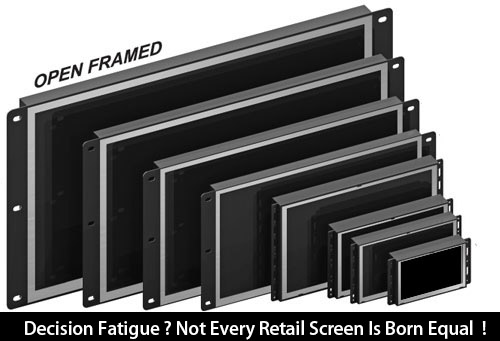
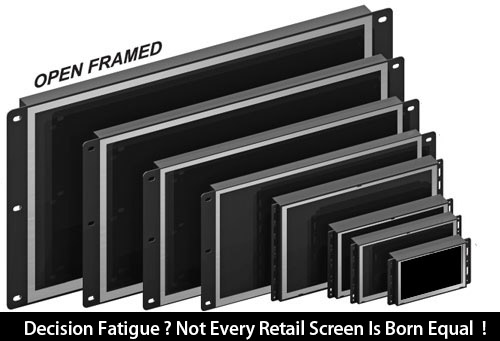
Decision Fatigue ? Not Every Retail Screen Is Born Equal !

Supposing there is a project requiring a 7-inch openframed POP Video Player motion sensor activated,

We are actually facing at least 3 hardware options as below:
1# Deluxe  model No. OP7007, Specification Sheet

  • 12V input,
  • 1080P decoder,
  • without on-board memory,
  • 720P seamless video loop (what’s this ? click the  link )
  • IPS 350 nits brightness full viewing angle screen;
  • metallic casing;

2# Economy, a cost-down version of OP7007

  • 5V input,
  • 1080P decoder,
  • without on-board memory,
  • 720P seamless video loop,
  • IPS 350 nits full viewing angle screen;
  • metallic casing;

3# Entry-Level, model No. OP7003, Specification Sheet

  • 5V input,
  • 720P decoder(no seamless video loop),
  • with built-in 256MB on-board memory,
  • TN Screen with limited viewing angle screen ;
  • Plastic casing;

It is not difficult for us to figure out the full list of decision factors:

>>>User Experience: 1# seamless loop or not ; 2# full viewing angle or limited;

>>>Cost: housing materials, memory option, input power voltage,

>>>Media decoder type,

>>>Screen type;

>>>Ease & method of deployment: SD card Vs  on-board memory (USB auto-copy is available to both options);

Each variable mentioned above plays some impact for end-user, it is always important to understand the actual requirements. Fortunately, today’s retail fixture design agencies & manufacturers are happy to learn to understand what they need and what they will get.

AOK Displays has committed to become a decision-free, IKEA-like total solution provider for retail signage, we look forward to sharing client’s needs and wants, contact us today.

Categories
News Releases Uncategorized

Non-Android Touchscreen Solution: Why Do The Seasoned Retail Integrators Prefer ?

Non-Android Touchscreen Solution: Why Do The Seasoned Retail Integrators Prefer ?

Banner:The Seasoned Retail Integrators Non-Android Touchscreen
Multi-Layered Touchscreen Player For Retail Comparator Display

Today’s Interactive Retail Touch Media Players Are More And More Popular, Thanks To The Widely Available & Commoditised ARM-based Retail Commercial Hardware With Android 4.4 / 5.1 /6.1 / 7.1, When App Developers Could Do What They Want All Via Their Own, Retail Integrators Could Set Up A Device In-Store With Several Touchs On The Screen : A Commercial Tablet Rooted With Google Play Pre-installed, Loading The Auto-run Apps And Make It Running 7/24/365, Connecting With Remote Content Management System For Analytics & Reporting.

This Is The Typical Scenarios Facing Brand Owners, Retailers As Well As Retail Integrators, In Most Cases, Everyone Is Happy With The Results.

However, More And More Seasoned Retail Integrators Prefer Non-Android Interactive Players, In The Following Applications Scenarios, They Choose The Alternate Interactive Touch Players Based On Old-fashioned Retail Video Screen Solution With Capacitive Touchscreen.

1# Device Working Life: Retail Projects’ In-Field Duration  Is Less Than One Year.

2# Cost: B Level Brands Require B level Budget ( Cheap Brands Don’t Like Expensive Retail Hardware ).

3# Remote Content Update Is Not Required, Or, Network Connection In The Retail Field Is Not Secured Or Expensive

Unfortunately, More Than 90% Of The Retail In-Store Advertising Campaigns Face The Pains Listed Above, If The Brands’ (end-users ) In-house Data Analyst For OmniChannel Data Integration Is Not In Place, They Would Follow The Advice For Non-Android (Non-Networked ).

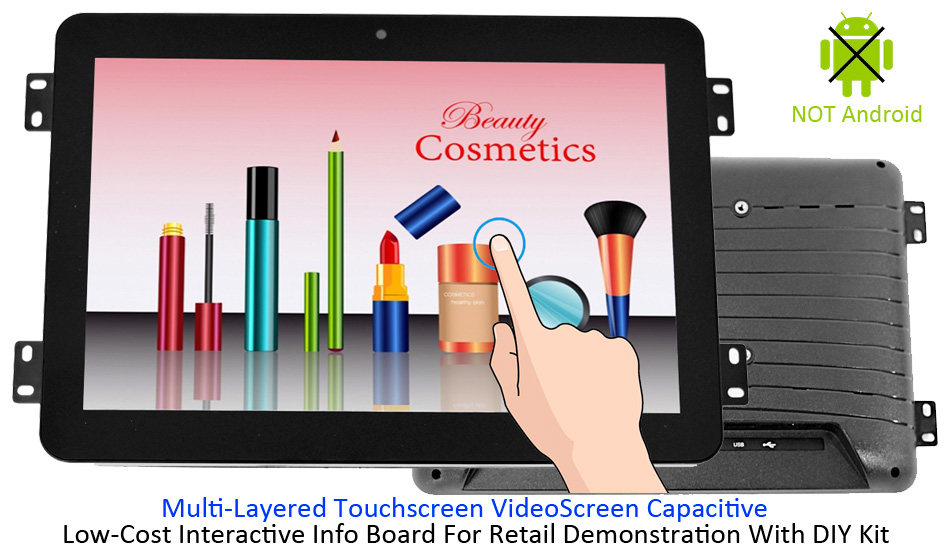
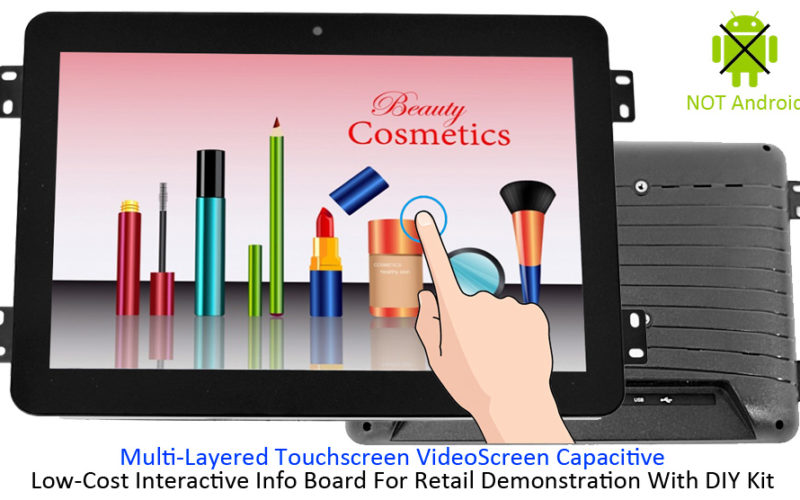
The Non-Android Solution Has A Special Term Called “Multi-Layered Touchscreen Player“, The Multi-Layered Means The Touch Players Could Guide The Shoppers Into Very Deep Level Of The Information Tree Of The Demonstration Like The Index System In The Library. Most Importantly, It Employs The Identical Multi-Touch Capacitive Touchscreen To Make Sure The User Experience Is Not Compromised. As A Cost-Effective Retail Solution, It Often Comes With A Content Author For End-users Or Retail Integrators Do Design Their Own Art Of Interactive Program, Like Making A Power Point Presentation ; It Is Pure Simplicity Outside With Complexity Dedicated Inside, Technically, Every Function Of The Solution Is Split Into Separate Modular With Interface Identifier & Parameter Set; For Seasoned Retail Integrators, They Could Use A Text-File Based Configurator To Quickly Design An Interactive Advertising Program Via A Windows Based PC. The Content Author Also Has The Built-in Self-correction Logic Checker To Make Sure There Is No Mistake Before Loading The Folder Of Media Content & Syntax Generated Into The Device. USB Auto Copy Is Enabled When Uploading Or Updating The Content.

Is AOK Displays Capable To Provide Such A Cost-Effective Non-Android Solution ?

Good Question, And Yes, We Always Provide Such An Alternate Solution For Years, And We Manage To Improve The Solution To Make It More Installation-friendly and Maintenance-friendly. And Now, We Offer From 10.1″ To 31.5″ Either in Openframed Or Framed Versions.

Here Is The Brochure Of The Most Popular Model Of This Range, 10.1″ Capacitive Multi-layered Touch Player

And Here Is The Documentation Of User Manual For The Content Author.

Categories
News Releases Uncategorized

What Trouble Do We Meet With Apple Lightning & Type-C For Audio POP ?

Challenge in the filed with Apple Lightning & Type-C For Audio Retail Demo
Building a retail headphone demonstration system becomes a challenge,  When Type-C and Lightning will take place of the conventional 3.5mm headphone port on smartphones.

There will be some demanding requirements from headphone retail integrators like:

“Can you build a type C port and a lightning port on board to accept type C & lightning input for the consumers ?”

This is technically feasible, considering the known pin assignment of type-C pin & lightning port for audio part, and Apple’s MFI program is also open for retail display manufacturers like AOK Displays.

But that would be a long headache for communicating with Apple MFI licensing.

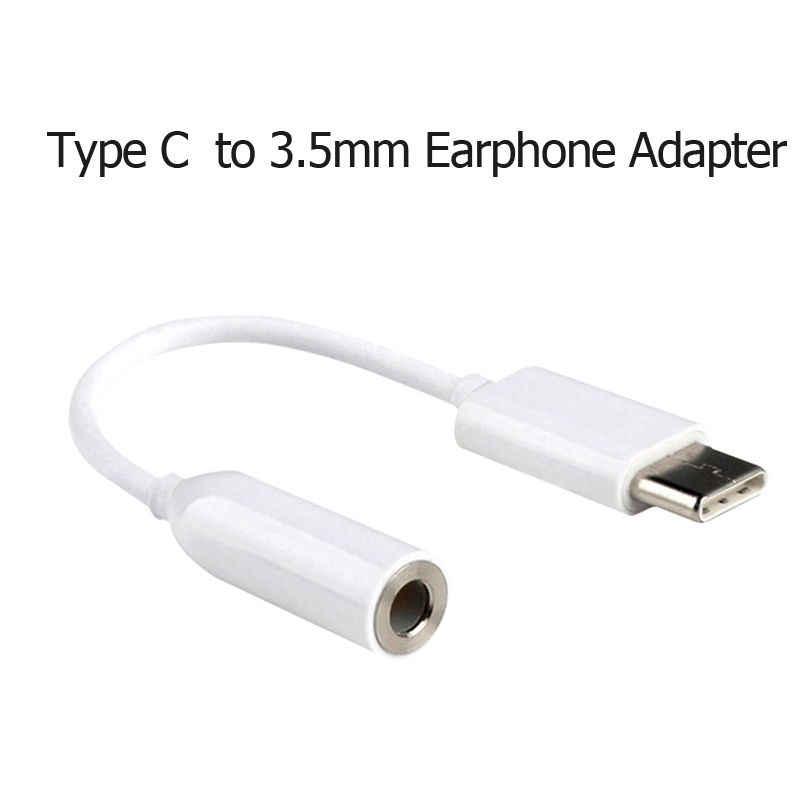
Alternatively, We could use the ready type-C to 3.5mm and lightning to 3.5mm adapter cables.

LIGHTNING PURPOSE
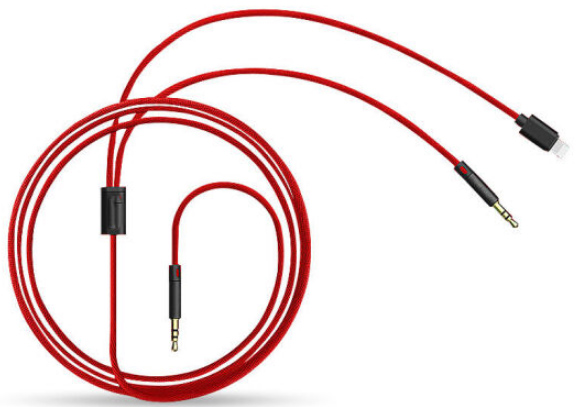
P1: 3.5mm to 3.5mm & Lightning

Apple Lightning Adapter Cable
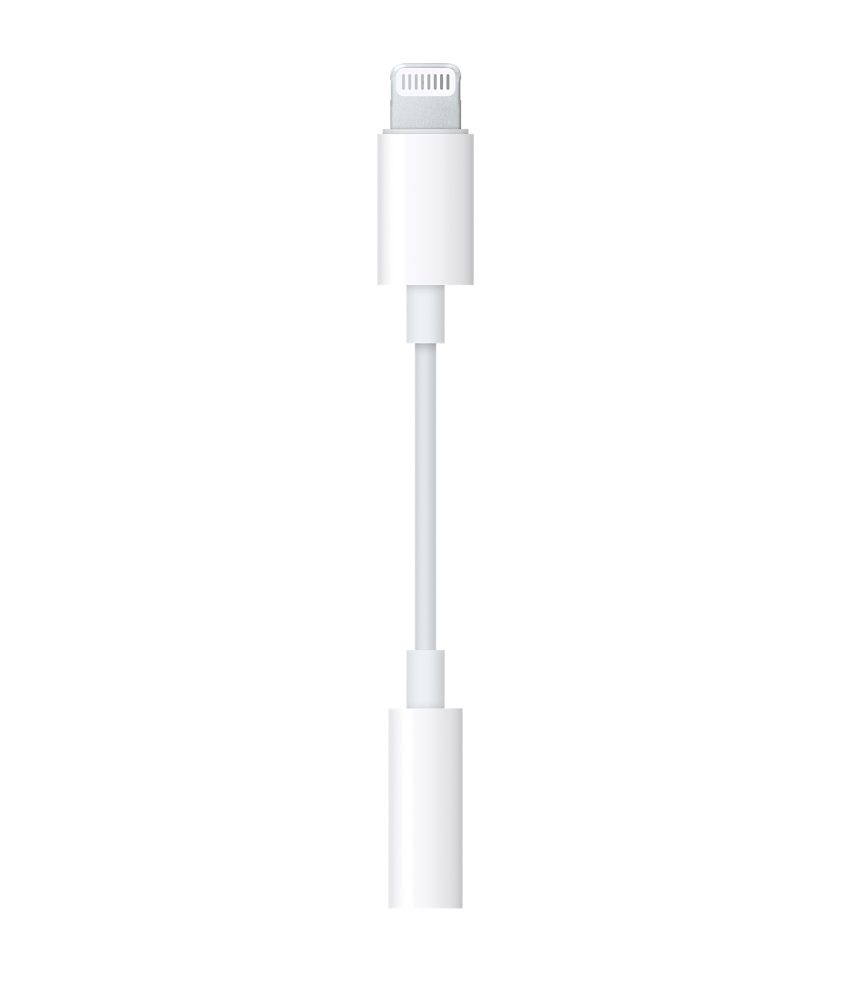
P3: Original Lightning port to 3.5mm adapter

3.5mm to lightning and type-C adapter
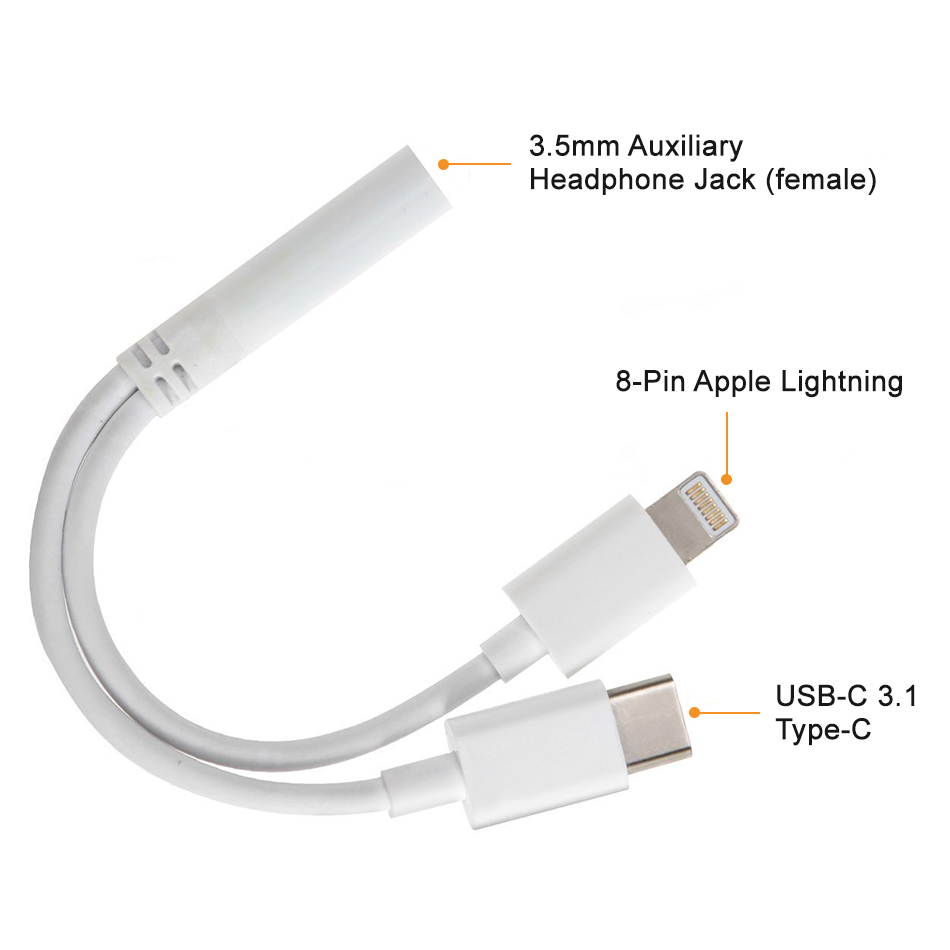
P4 :3.5mm to lightning and type-C adapter


type c earphone
P2: Type-C to 3.5mm Earphone


Obviously, Combining P1 & P2 could support either type C and lightning input from today’s latest smartphones’ headphone ports.

Is that all done, so easy ? Then whats the challenge when the cables are available from any retail channel ? 

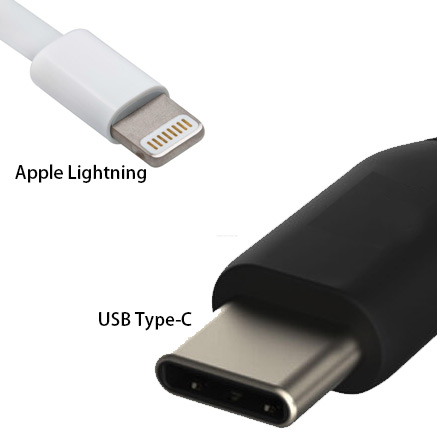
Type-C and Apple Lightning Are Different

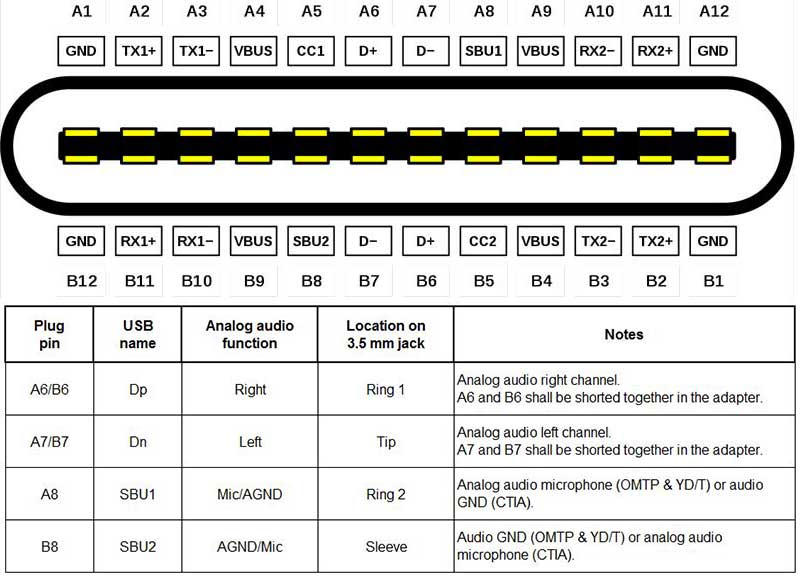
For Type-C, we can use it analogue audio output pins for cable adapter, this is no difference with conventional 3.5mm to 3.5mm cable, see the following type-C pinout:


usb type c audio pin
USB Type-C audio Pin Assignment


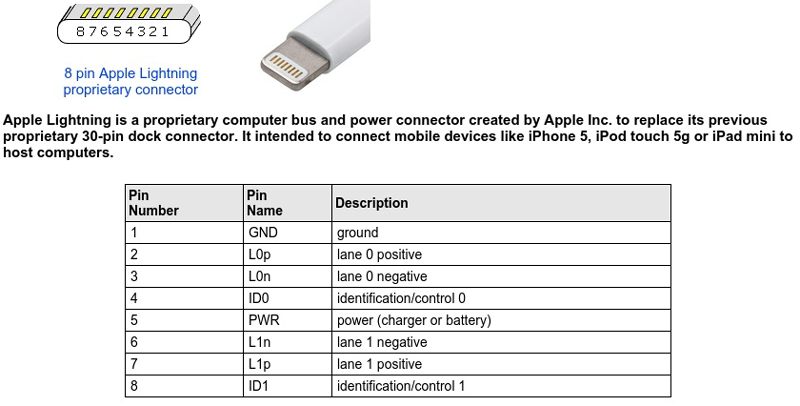
But we would never be so lucky with Apple Lightning Port, there is no analogue audio output in lightning port, and yes, like what Apple does for all of their products, there is a communication controller there for audio output, see the pin out as below:

Apple Lightning 8-Pin Assignment

For lightning port, it is digital signal output to the adapter cable and inside the adapter cable there is some extra circuitry including DAC and impedance compatibility components.


Connecting lightning cable to 3.5mm for customer line-in user experience would never be the same as what we have now with 3.5mm to 3.5mm cable, because of the in-built circuitry inside, there will be an added load to the line-in port, it brings extra noise before the music starts as well as when the volume is low.


How to solve the extra noise caused by the DAC circuitry built-into lightning to 3.5mm adapter ?


1# Change the line-in detection into audio detection

For line-in detection system, once the 3.5mm is plugged in, the retail audio demonstrator would trigger a picture display or a video repeat, immediately;

But for audio detection, the triggering point is not the line-in moment, it is when the audio signal is detected then the triggering becomes enabled.

In this way, users pick up the phone, with line-in cable inserted, they would not listen any noise before music starts.

2# Add low-pass filter to get rid of the extra noise

As explained on 1#, the noise before music starts is already deleted, how would we do if there is still some noise ?

Headphone brands don’t want its users to listen the extra noise !

We have a built-in low-pass filter circuitry on-board to tune the audio signal, for this part, we are able to change the parameter of the filter’s capacitors and resistors to avoid the extra noise.

At last, retail integrators may have a question like this:

Do we have a perfect choice to make a system friendly to both 3.5mm, type-C and lightning port ?

The answer is YES !

We could make multiply line-in detection port, saying 2 pcs of 3.5mm port, one port for line-in power detection, the other is for audio signal detection. And the port compatibility issue, we leave this task to get solved by the very creative cable adapter manufacturers.


Categories
News Releases Uncategorized

Top 3 Reasons That Retail Brands Love Seamless Video Loop

1# No Black Frames, Greater Value For Marketing

Black Frames, Even Half A Second Of Black Screen Means Pause For Shopper’s Understanding / Recognition About The Ads Message That Is In Delivery To The Engaged Mind.

2# Lower Cost With Smaller Sized Storage Memory, No Need to preload a 30-minute long video Made By 600 Loops Of Original 3-Second Video.

How To Live With Black Frames If The Hardware Can Not Omit It ? Some Smart Retail Integrators Try To Lengthen The Video Into A Longer One Via Combining Several Loops,  In This Way, A 3-Second Of Video With File Size Only 2MB Is Enlarged Into An 800MB Video With 600 Loops Of The Original 3-Second Video.

3# Easy To Manage maintainance For content creation & content update

Enlarged Video Files Not Only Occupy Larger Memory, But Also Increase The Content Creation & Content Update Cost ( Time & Money ), Taking USB Auto-Copy For Example, It Not Only Means Several More Minutes During Assembly Phase To Preload The Video, But Also Extra Minutes When Operators Try To Update The New Videos In The Field.

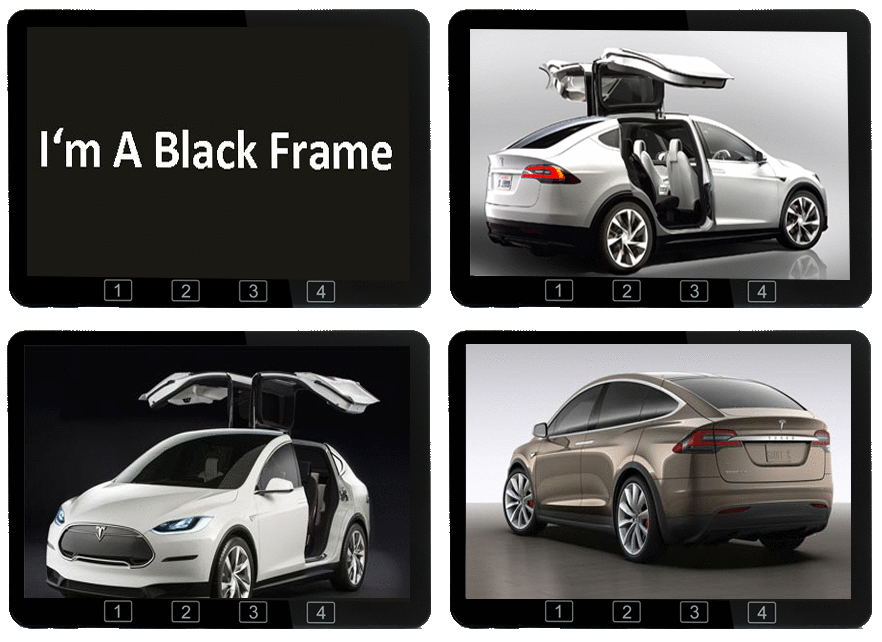
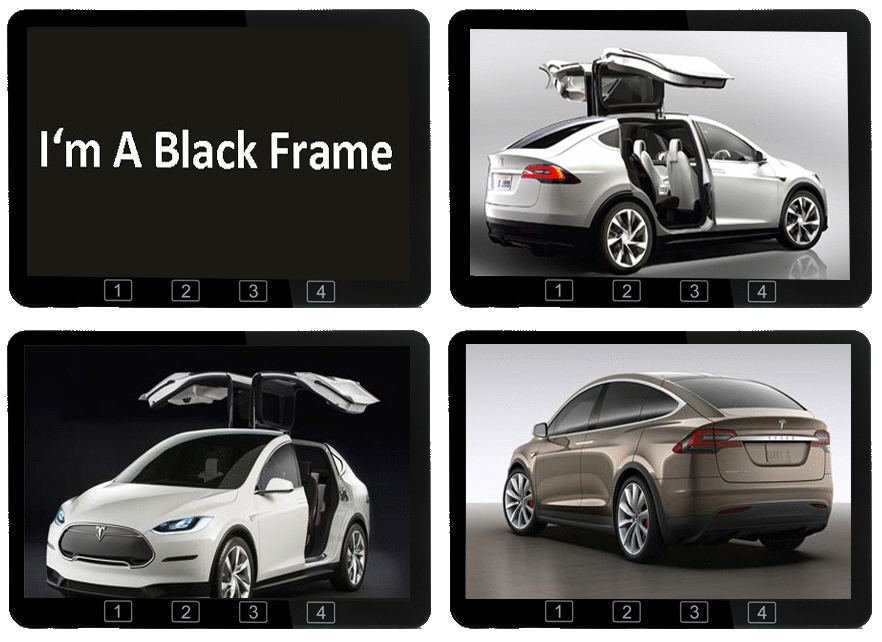
Black frame during video loop

In Our Stand-alone Retail Video Player Line, We Have One Bold Words Saying “Seamless Video Loop” In The Product Specification. It Is Actually An Important Feature Like No Other While Few Of The End-Users Have Questions About It . “Seamless Video Loop” Means There Will Be No Even One Single Black Frame During Video Loop, Unfortunately, Almost All The Retail Screens Have A Black Frame During Video Transition From The Last Frame To The First Frame Of The Video As Shown Above.

If The Advertiser Of Christmas Fireplace Is Looping A Commercial Video For Their Flame Lamp, What Does A Black Frame Mean ? Disaster !

If A Video Of The Car Racing Has Cheered Up The Shoppers’ Attention, What Does A Black Frame Mean To Those Shoppers Gazing Onto The Screen ? Disaster !

AOK Displays Has Launched Full Line Of Retail Video Players With “Seamless Video Loop” , They Are Ranging From 7″, 10.1″, 11.6″, 13.3″, 15.6″, 21.5″, 23.8″ Up To 32″.